TrafficDrone: How to start page 15
File streamer analytics
Apart from the video signal grabber, the TrafficDroneUnit includes a second default video
stream. This source is based on a video file (or more of them) being streamed and
consecutively analysed by the FLOW framework. This source is useful for familiarization
with the system while no external video source is present. It can also be used for analytic
replay of video files that have been captured on board of an UAV and then transferred to
the TrafficDroneUnit.
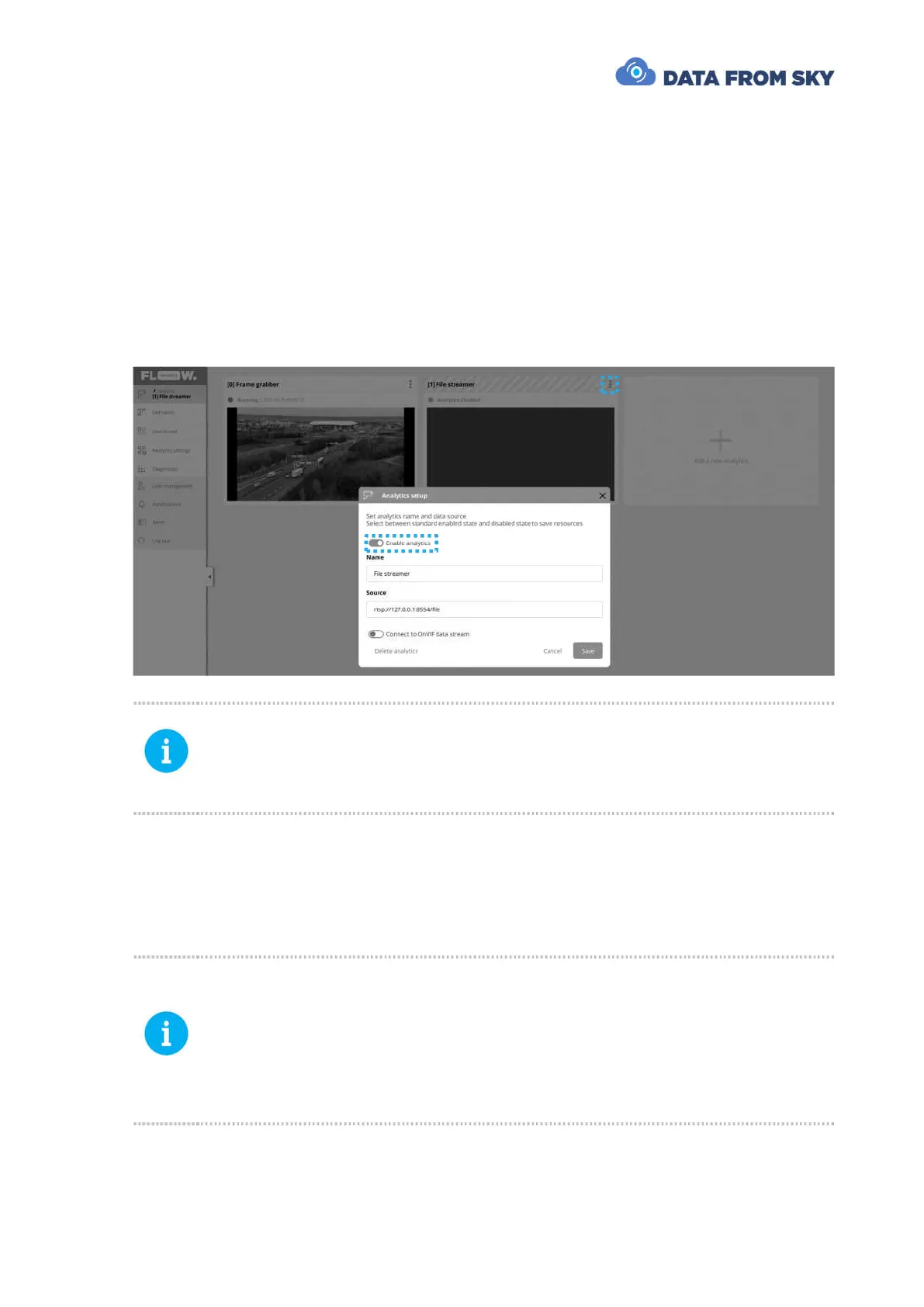
In order to access the analytics, we need to enable it by clicking on the options button,
entering Setup analytics and enabling the analytics:
Please note that TrafficDroneUnit can process one video stream at a time.
However, multiple analytics can be defined. You therefore need to enable the
analytics that you are interested in. All other analytics are disabled
automatically.
The file streamer reads the following directory and streams all video files present in it
sequentially: /Data/StreamVid.
A few sample traffic recordings are placed in /Data/TestVid folder. You can simply copy
them to the /Data/StreamVid directory to make them streamed and analysed.
Custom video files can be transferred from external storage connected to one
of the TrafficDroneUnit USB ports by:
- Pressing the Windows button on the keyboard
- Typing Files and selecting the Files icon
- Transferring the files with Files or any other file manager
Alternatively, the recordings and other files can be transferred via network by
a SFTP client.
Configuration and processing of the analytics based on file streamer is identical to the
process valid for live video stream.



 To Next Page