page 16 TrafficDrone: How to start
Optional RTSP stream
Apart from the frame grabber and file streamer, you can connect TrafficDroneUnit to any
RTSP stream available on the network (e.g. provided by an IP camera) and enjoy the real-
time intelligence extracted from the stream.
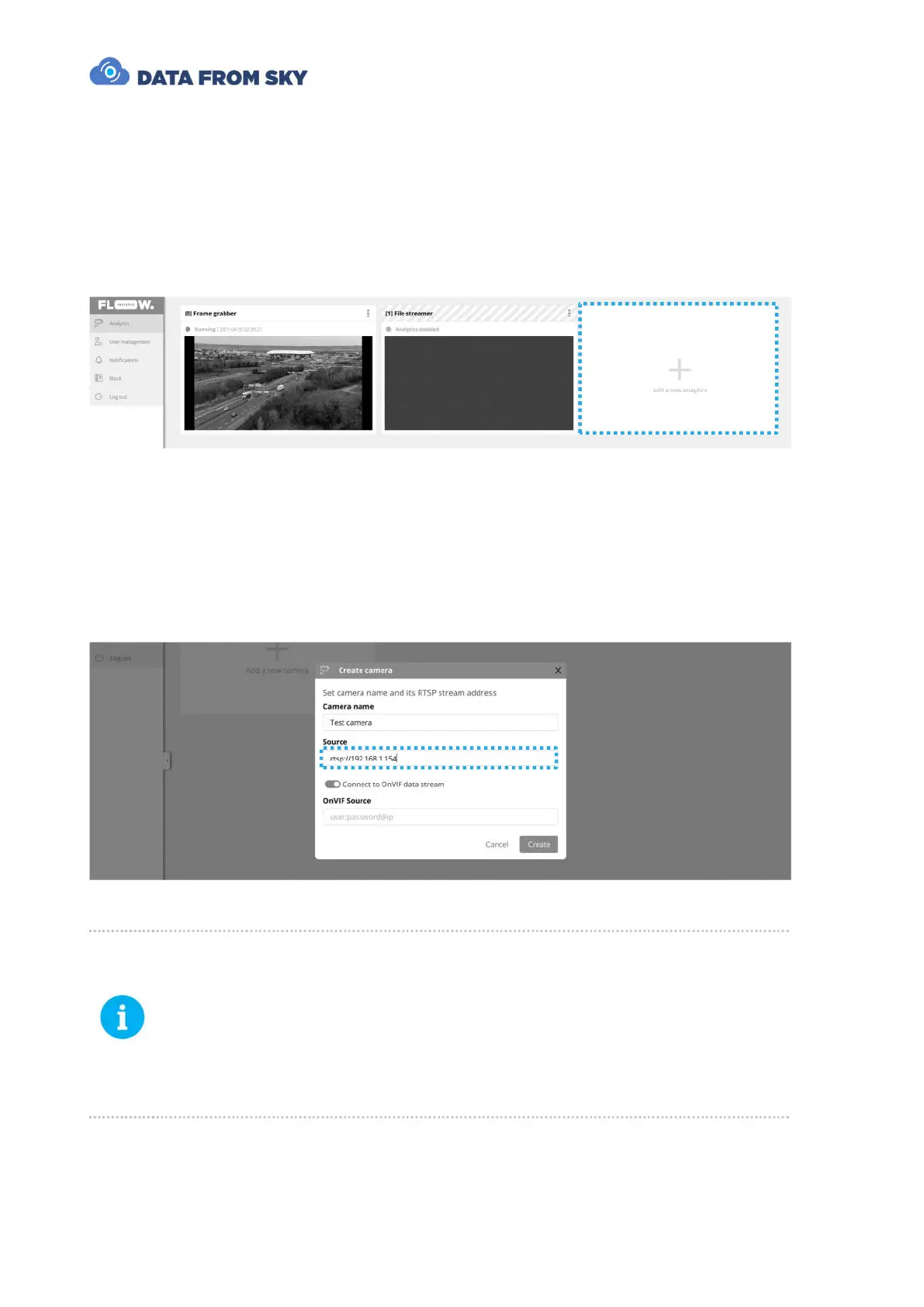
When connected to the TrafficDroneUnit with FLOW Insights, you need to add another
analytics:
The camera video source stream address and optional OnVIF source address are
formatted in the following way:
● Video source: rtsp://user:password@ip:port/path/file
● OnVIF source: user:password@ip
The required information is source specific and can be usually found in the camera user
manual or in the web interface of the IP camera.
The frame grabber and file streamer analytics are based on RTSP streams as
well. The only difference is that these streams are generated directly by the
TrafficDroneUnit. The addresses for these two default streams are:
● Frame grabber: rtsp://127.0.0.1:8554/grabber
● File streamer: rtsp://127.0.0.1:8554/file
You can use these RTSP addresses if you accidentally delete your default
analytics – for example.



 To Next Page