page 6 TrafficDrone: How to start
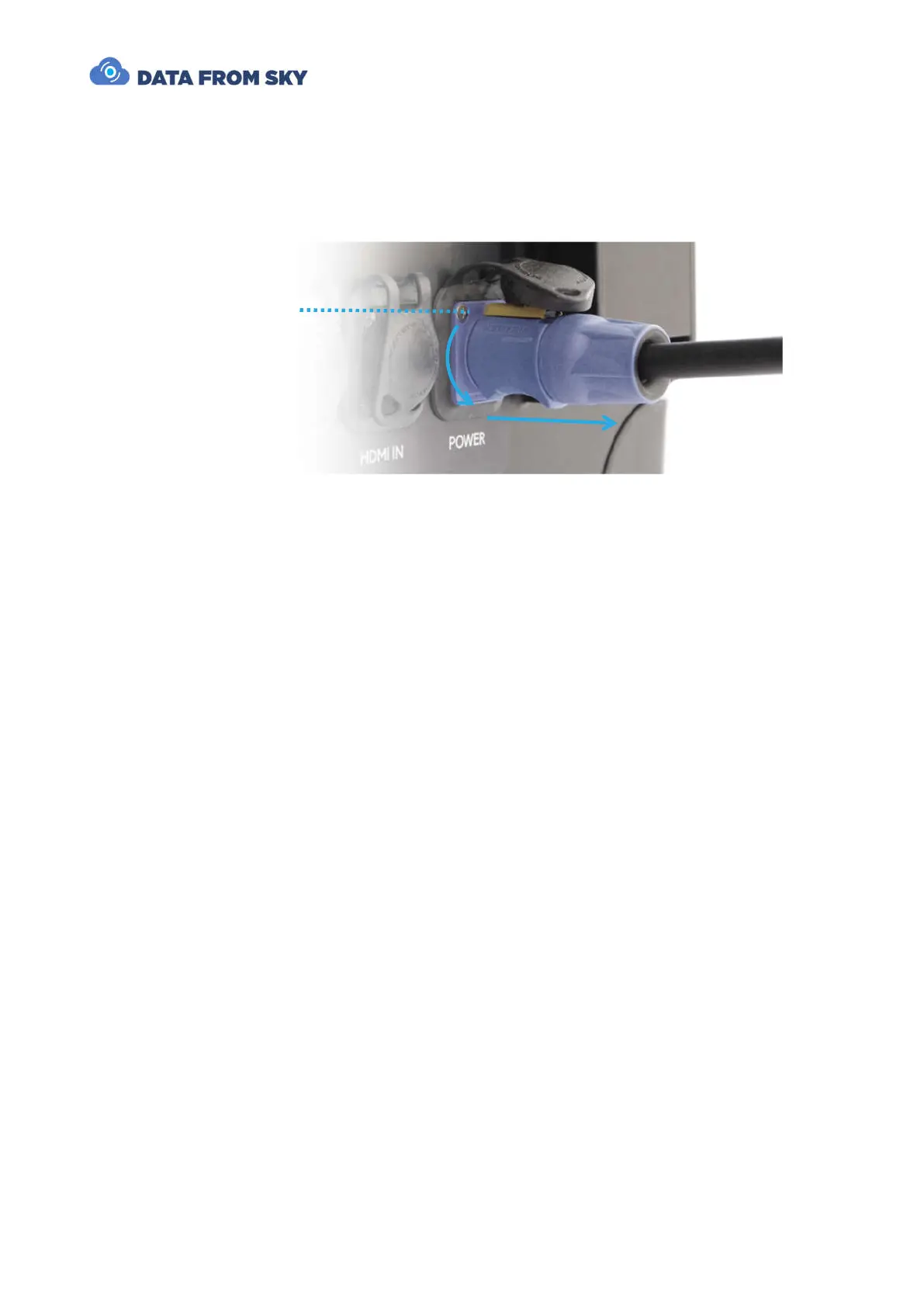
Detaching the power cord
Turn off the main power switch on the unit. Disconnect the power cord from the power
source. Then unlock the yellow security latch and turn the powerCON plug counter-
clockwise. You are now free to remove the terminal from the receptacle.
Interfacing TrafficDroneUnit
Video input
Apart from power, the TrafficDroneUnit requires only a video signal for successful
operation. The signal can be provided by any of these interfaces:
- HDMI Input
- SDI Input
- Network RTSP stream
The HDMI and SDI inputs are designed to be connected directly to the UAV ground station
video output. All standard resolutions and formats are supported. However, for best
results, FullHD 1080p30 format is recommended.
The video signal should not include any overlays, composition lines etc. Clean video is
desired for best results.
Should overlay-free signal not be available, the affected areas can be omitted by means
of “Region of interest – image cropping” function present in FLOW Insights analytics
settings.



 To Next Page