4 Using the control module Clarity Controls
4.4 Device Monitor
The window with the detector status can be invoked by the Monitor -
Device Monitor command from the Instrument window or using the
Device Monitor icon.
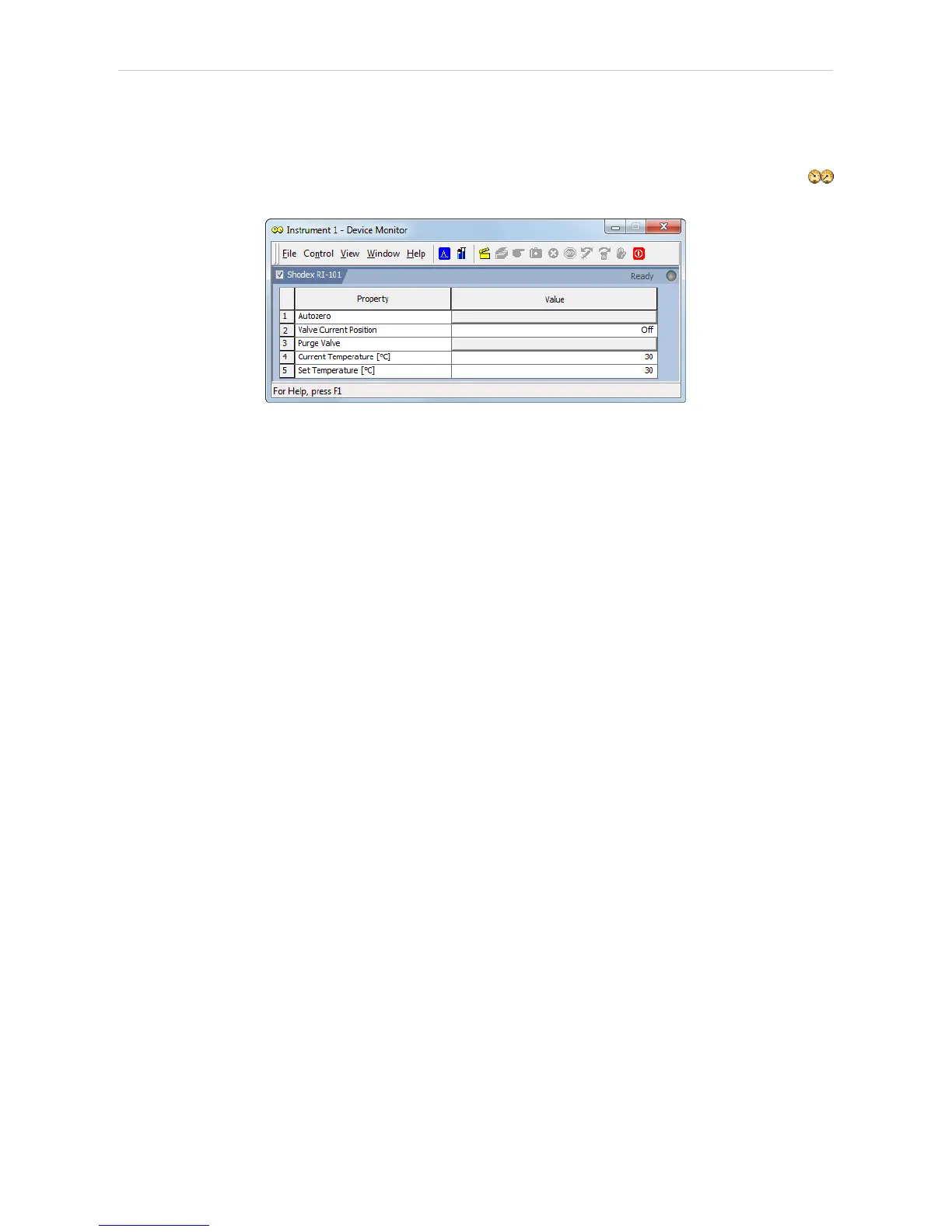
Fig 8: Device Monitor - Detector
Autozero
Zeroes the connected detector.
Valve Current Position
Shows the state of the purge valve. The valve position can be changed
using the Purge Valve row.
Purge Valve
Allows to set the purge valve on or off. The current state of the Purge valve
is visible in the Valve Current Position row. Such action can only be
performed outside of the analysis run.
Current Temperature [°C]
Shows the current temperature of the detector cell.
Set Temperature [°C]
Shows the set temperature of the detector cell.
- 11 -


 To Next Page