Shodex RI-101 5 Report Setup
5 Report Setup
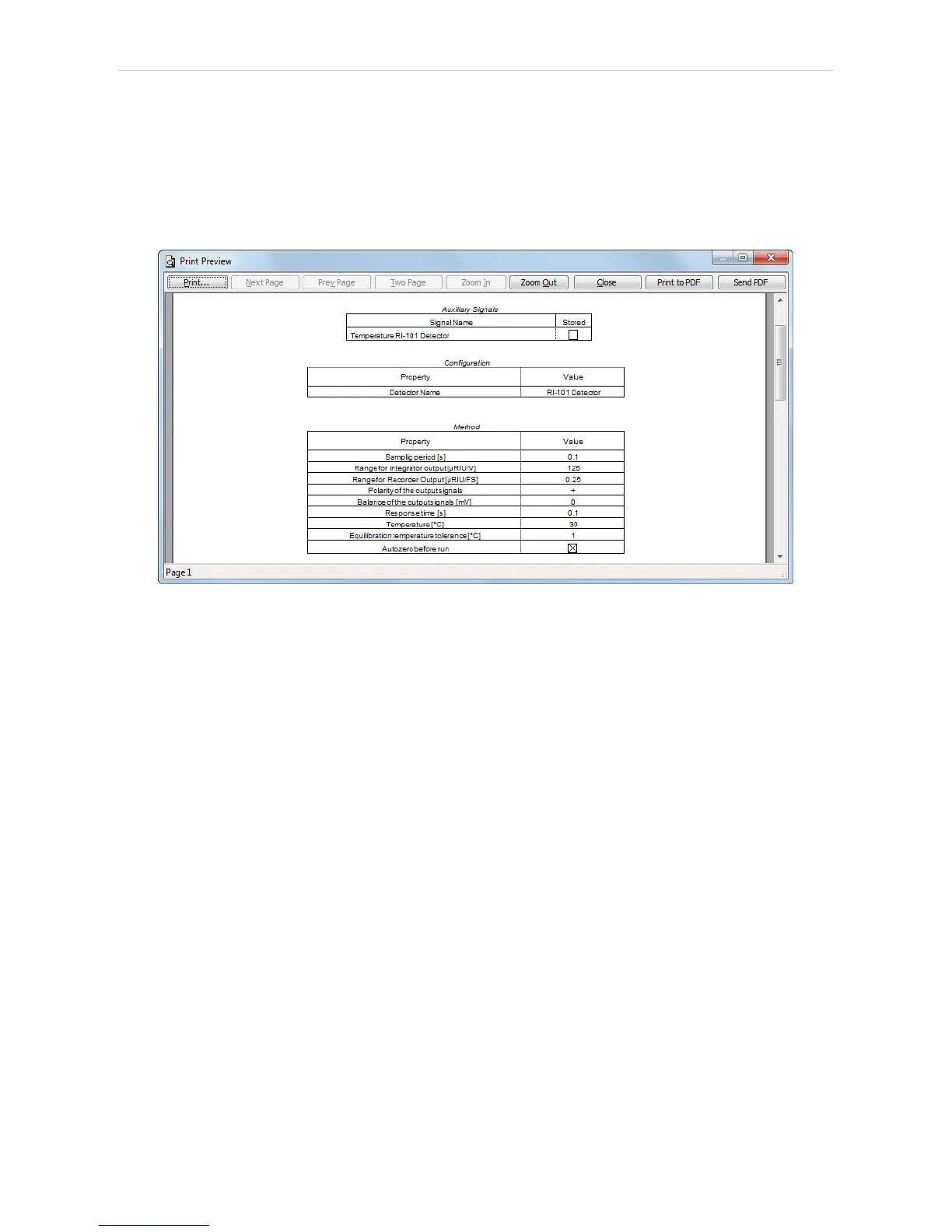
The detector section on the method report can be enabled by checking
the Instrument Control checkbox on the Method tab of the Report Setup
dialog. Auxiliary signals setting made on Method Setup - Advanced tab
will be also printed.
Fig 10: Report Setup
All of the parameters set in the Method Setup - Acquisition dialog are
reported, as well as the custom Detector Name and other parameters set
in the DataApex UNI Setup dialog.
- 13 -


 To Next Page