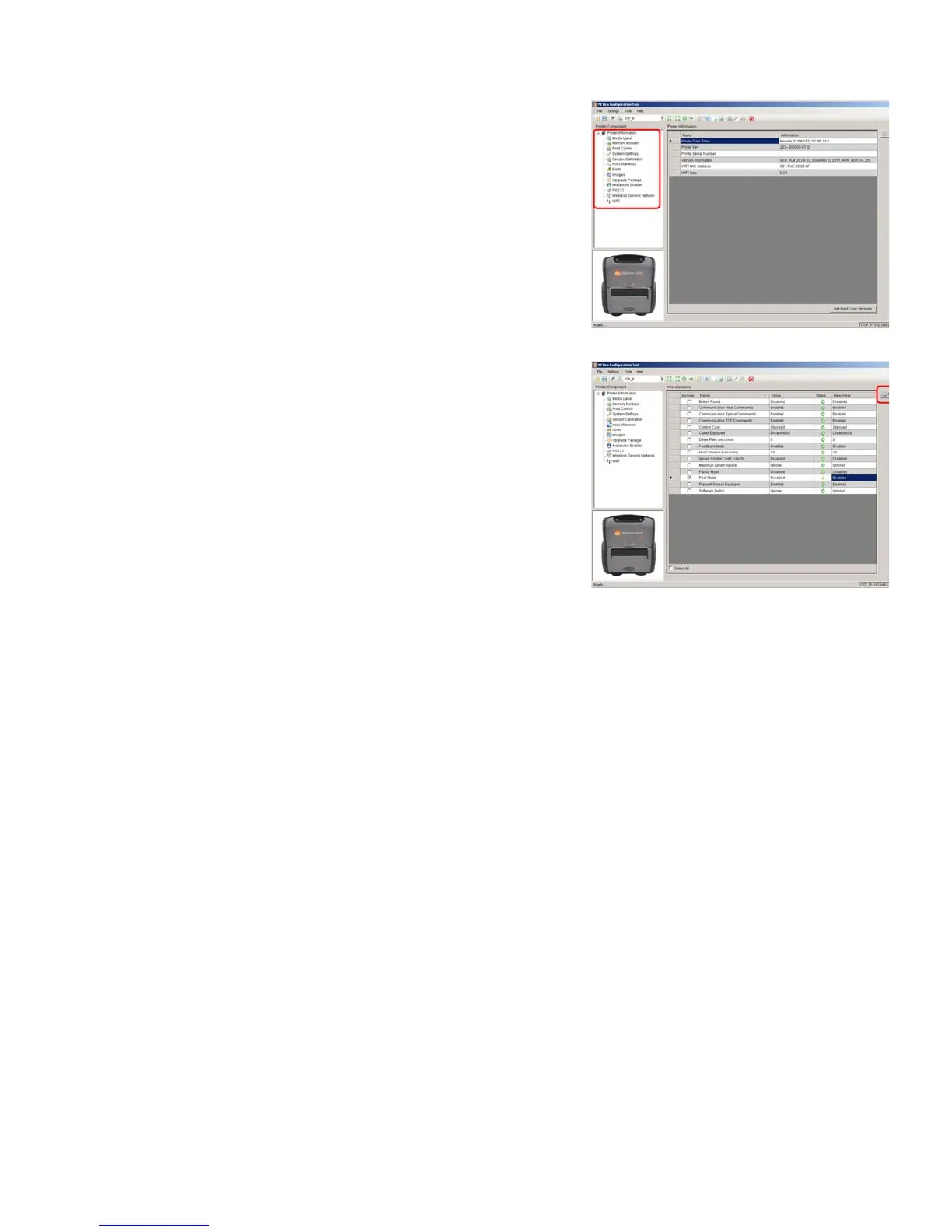
3) At this
point you may browse the Printer Component
categories and make any changes necessary to the
printer configuration.
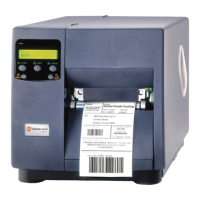
4) Once comple
te, send the new settings to the printer using
the ‘Send’ button.
Note: When sending the changes to the printer, only the
changes displayed on the current page will be
sent. You must click the ‘Send’ button for each
page that has been modified.


 To Next Page