Page 11
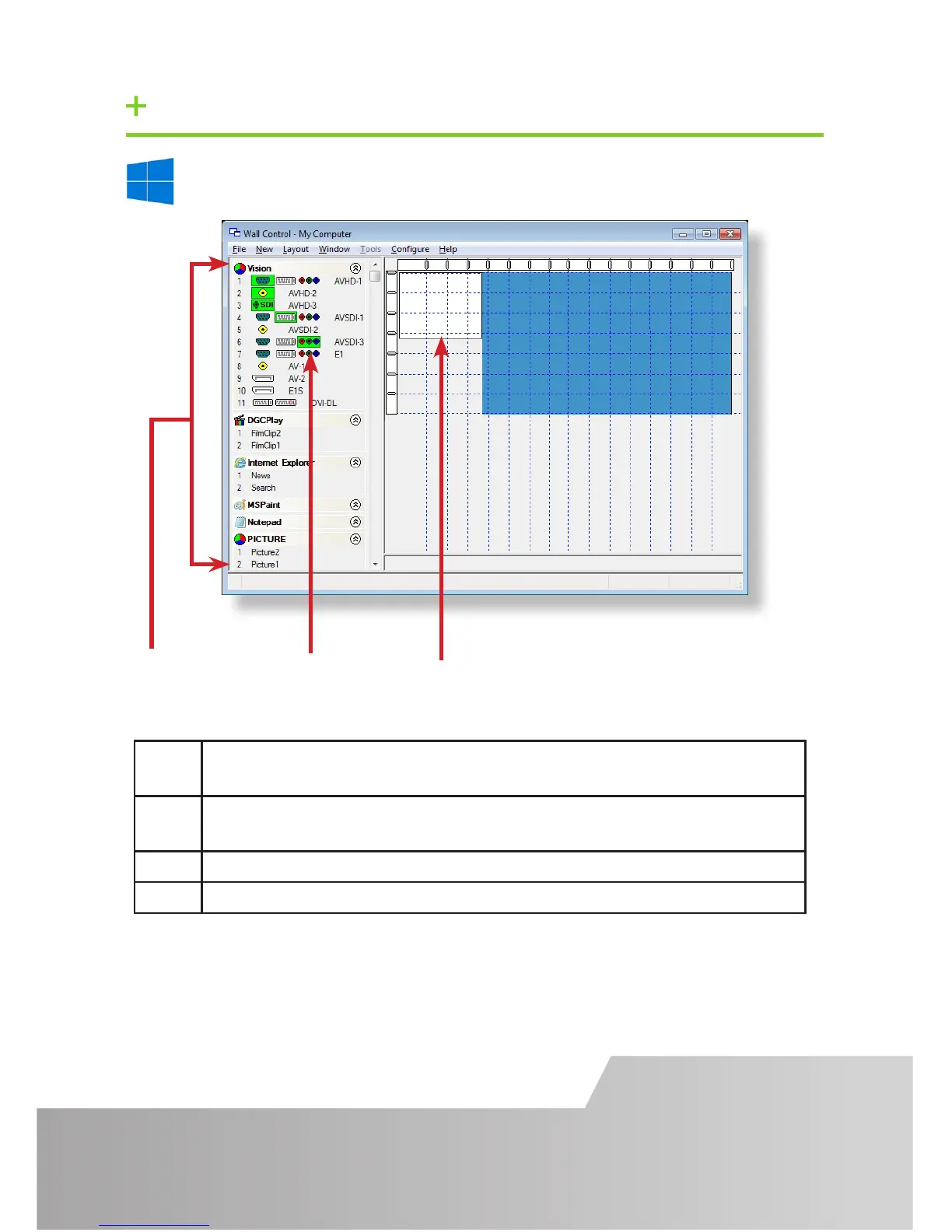
Start | All Programs | Wall Control | Wall Control-My Computer
1 The Icons displayed in the application toolbar identify which type of
source is available to each input
2 Icons highlighted green indicate an active capture for that particular
input.
3 Representation of the control screen if one is being used.
4 Representation of the video wall desktop.
STEP 11 WALL CONTROL-RED/SQX (OPTIONAL)


 To Next Page