Page 9
STEP 10 WALLCONTROL 10 (OPTIONAL)
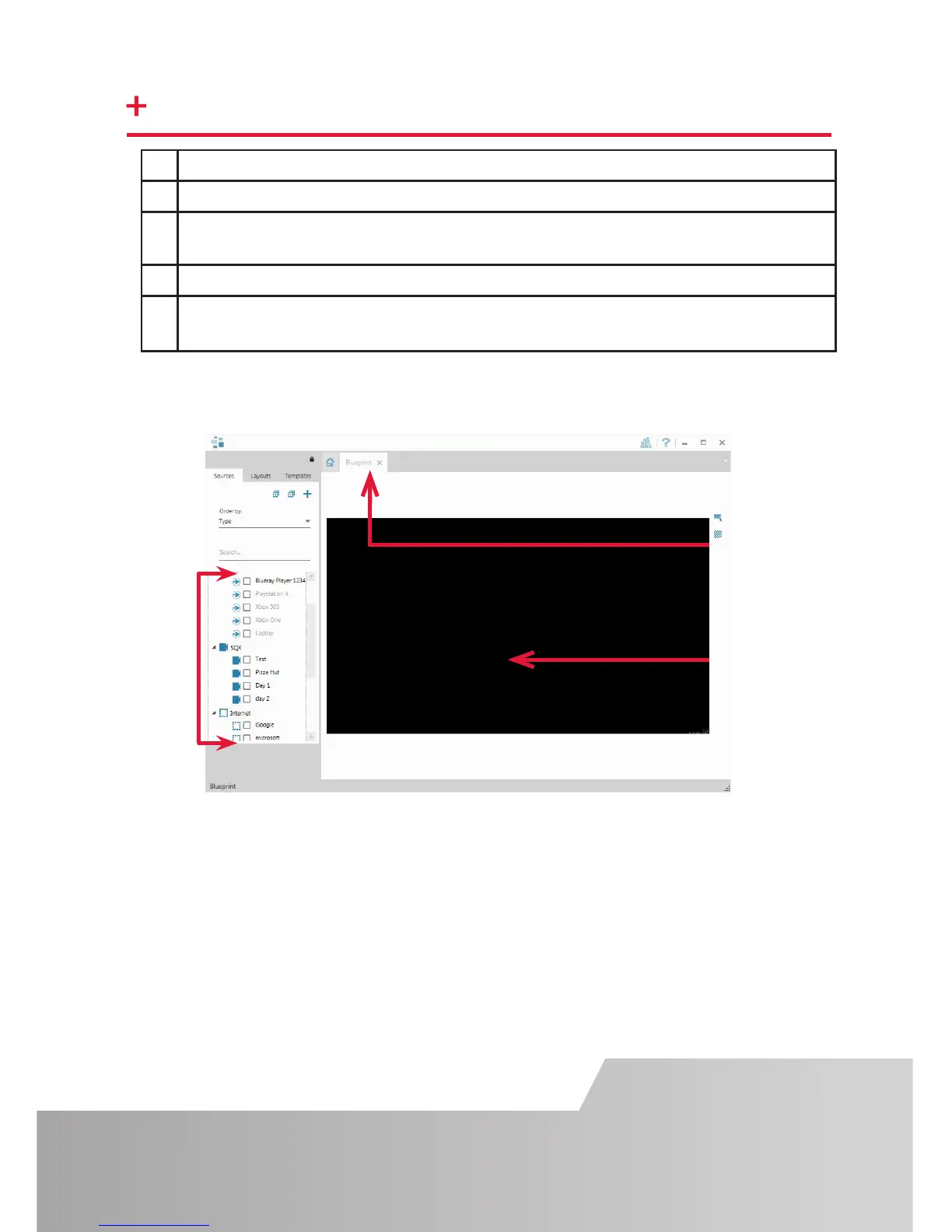
1 Indicates the server you are connected too.
2 A representation of the display wall associated with the server.
3 Sources Tab - Displaying all the sources connected to the server for use on
your display wall.
4
5
layouts.
When opened, the display wall tab shows a live representation of the physical wall
and the sources available to display on it. To place a source on the video wall, simply
click on the required source in the sources tab and drag it onto the display wall
representation. (Note: It is not possible to drag Application sources, double click to
open)
be selected, how to use and create templates and how to save, recall and share
Click on the display wall representation (2) to open the display wall tab.
Sources
Display Wall
Tab
Display Wall


 To Next Page