Datasheen D902AW User Manual
Page 12 Total 19 Pages
Press “Next step” when configuration is finished. The following operation is same with Figure 3.5. Notice that
PPPoE mode does not work until the modem is reset.
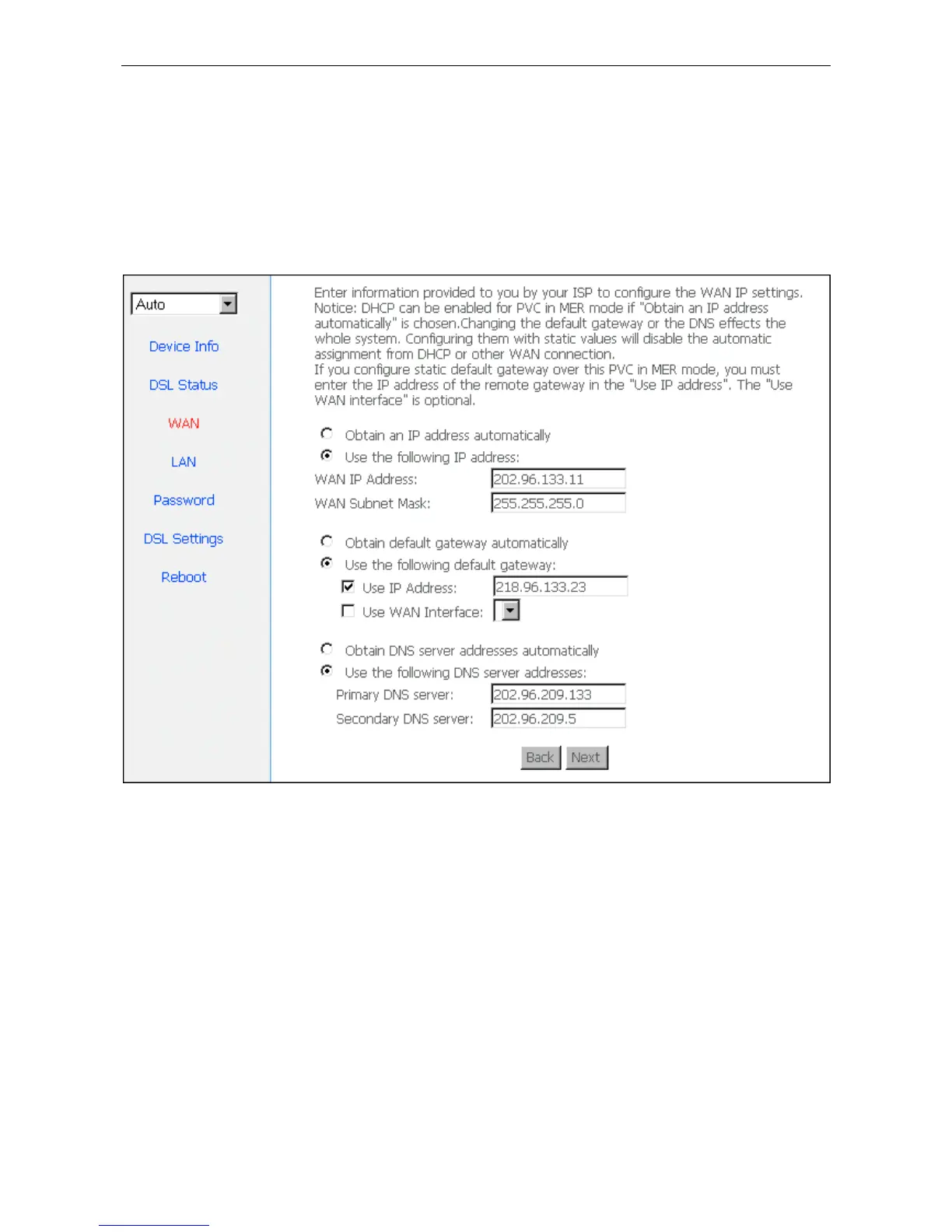
3.4.4 STATIC ADDRESS
In Figure3.4, select MAC Encapsulation Routing (MER), press “Next”, and the configuration can be
queried from your ISP, the result as Figure3.9.
Figure 3.9
3.5 WIRELESS CONFIGURATION
Press “Wireless” on the top of web pages to enter wireless section. You can select to configure wireless
setup, security and management.


 To Next Page