Datasheen D902AW User Manual
Page 9 Total 19 Pages
encapsulation, click “Next” enter to the protocol configure. Below, we introduce the configuraion of the
five protocol modes.
• PPP over ATM (PPPoA) • PPP over Ethernet (PPPoE)
• MAC Encapsulated Routing (MER) • IP over ATM (IPoA)
• Bridging
Some connection lines need to confirm the LLC or VC, if you can’t confirm, please don’t modify the
default value or ask your ISP.
3.4.2 RFC1483 BRIDGE CONFIGURATION
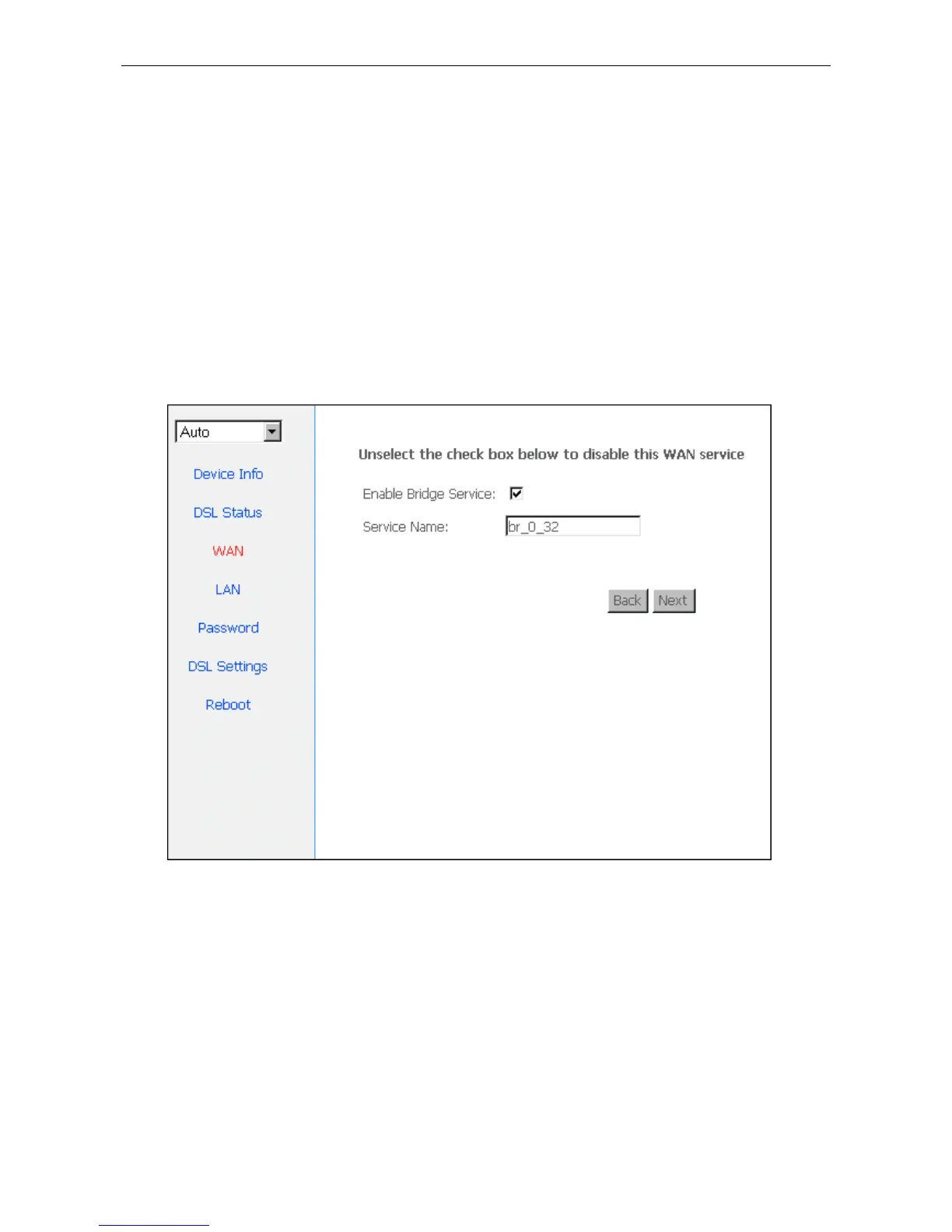
Select the Bridging mode. Then press “Next” to specify the Service Name, and select the “Enable Service” as
Figure 3.5.
Figure 3.5
Press “Next” to enter into “WAN configuration”, click “save” to save configuration, if you need to modify
the parameter, click “back” as Figure 3.6.


 To Next Page