Datatool is a brand of Scorpion Automotive Ltd
Scorpion House, Drumhead Road, Chorley North Business Park, Chorley, Lancashire, England. PR6 7DE
Tel: +44 (0) 1257 249928 E mail: info@datatool.co.uk Web: http://www.datatool.co.uk
2
The Remote Control
The DT202 is provided with 2 remote controls as standard. It is possible to add up to 4 extra
remote controls (6 in total). We recommend making use of both remote controls from time to time,
ideally alternating use every 3 to 6 months.
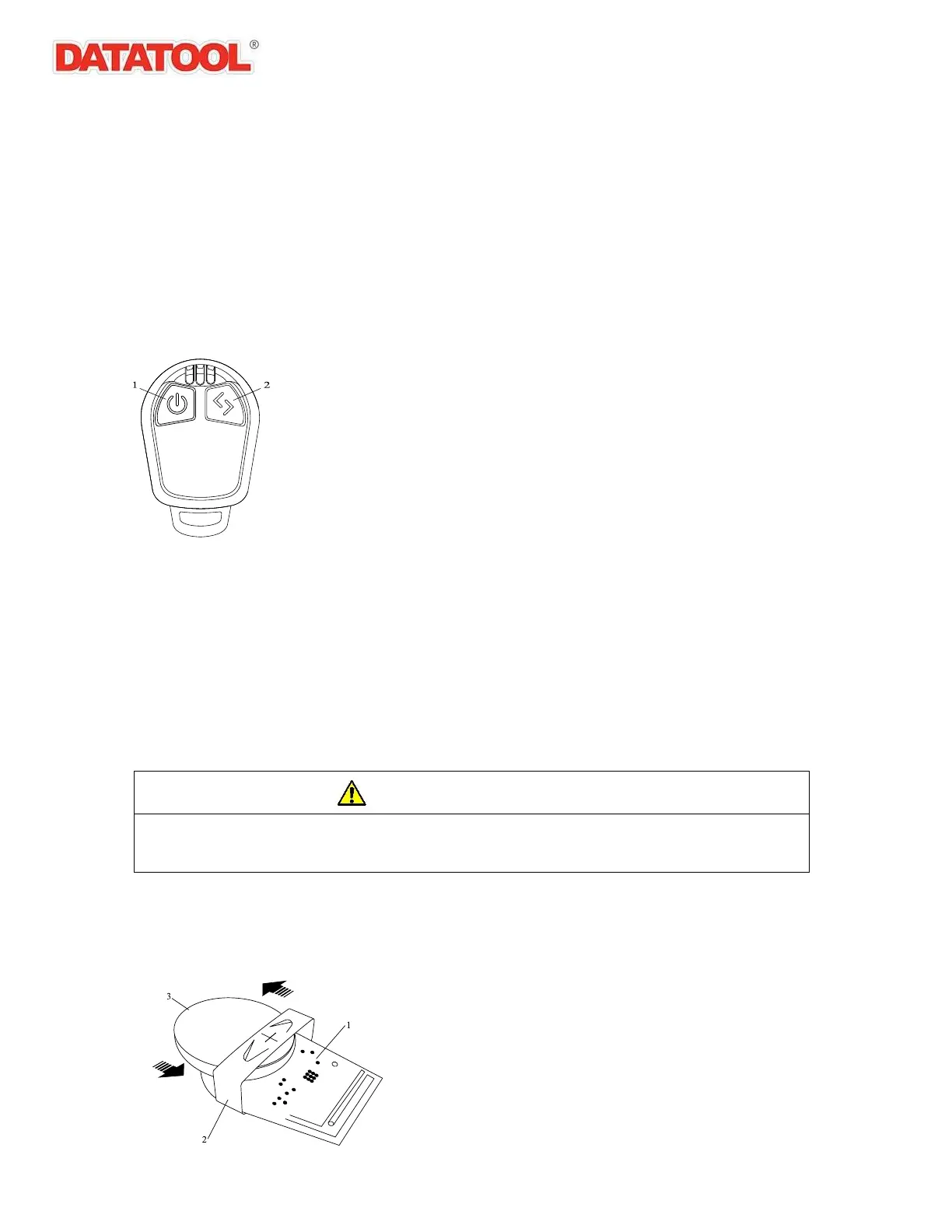
The left hand ‘Arm/Disarm’ button controls the main arm/disarm functions of the system.
The right hand ‘Programming’ button is used to initiate secondary functions such as movement
sensor deactivation (Transport Mode) and bike finder.
When either button is pressed on the remote control, the LED indicator will illuminate to confirm
the button has been pressed and the remote transmitter is operating. If the LED indicator does not
illuminate when either button is pressed replace the battery as detailed on the following page.
Replacing the Battery
Each remote control contains a single long-life lithium battery (CR2450). Please replace the
remote battery when the range of operation decreases noticeably.
NOTE:
Ensure the used battery is disposed of or recycled in accordance with local environmental
regulations. Incorrect disposal or recycling of a battery may result in prosecution.
1. To replace the battery, locate the recess in the edge of the remote control casing and gently
prise the upper and lower sections of the casing apart at this point.
When removing, or fitting a battery in the remote control ensure it is removed or fitted in the
correct direction. Failure to remove or fit a battery correctly could result in damage to the
remote control and possible malfunction.
2. The battery is retained by a clip on the remote control circuit board and can be removed by
sliding the battery out from under the clip in the direction shown. Fit the new battery, ensuring
the battery polarity is correct, by sliding the battery under the retaining clip in the direction
shown.



 To Next Page