6 FP-550F
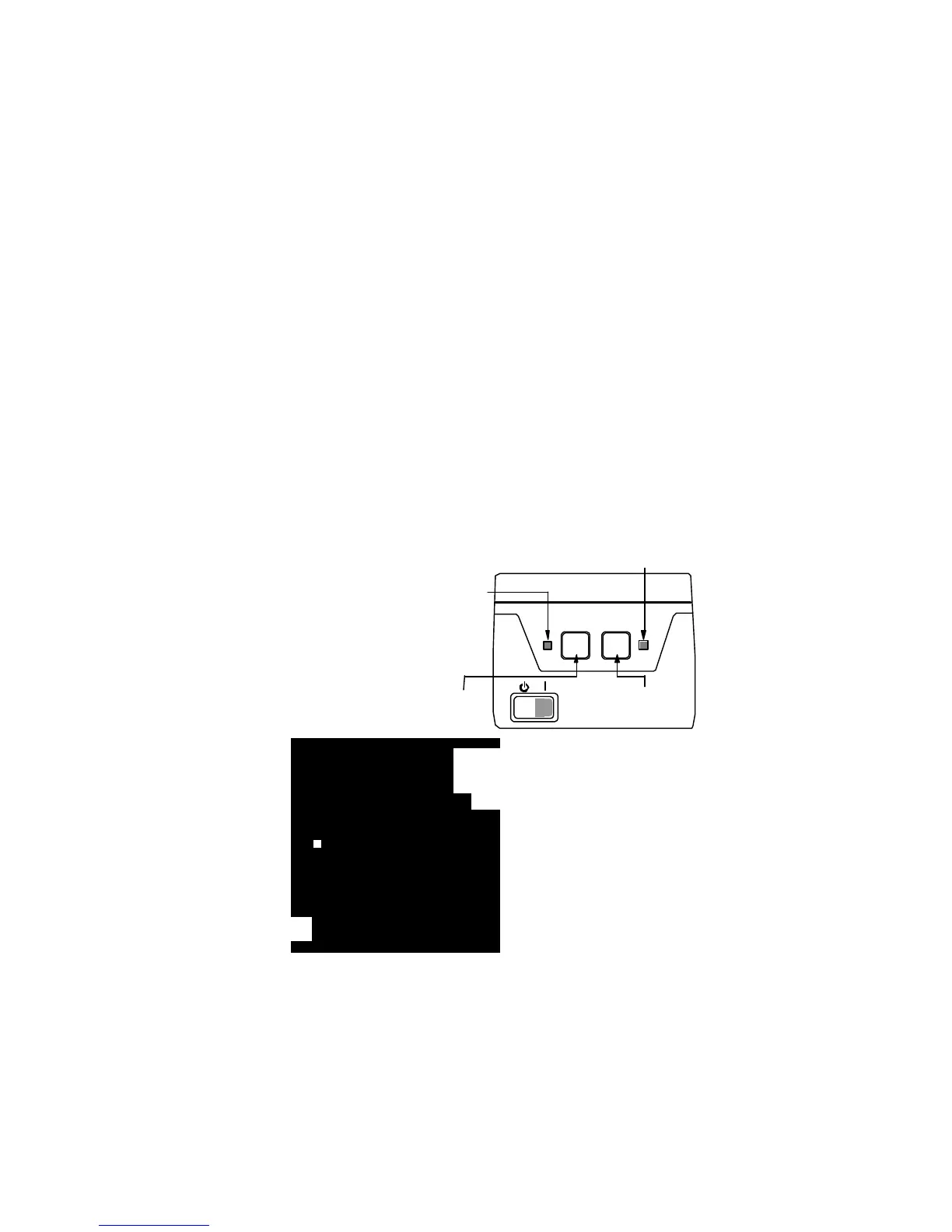
Control panel indicators
- “Power” indicator
Lights in green when the printer is on and does not execute commands. When the light
is out this is an indication that the printer is “engaged” with a job.
- “Cash recepits” button
Moves the cash receipts papre roll foreward. When the button is kept pressed down,
the printer generates and prints out diagnostic information on both paper rolls.
- “Journal paper roll” button
Moves foreward the electronic journal paper roll. When pressed down continuously
prints out the dailuy report without clear. This can be also generated through a separate
command.
When both buttonÿ are pressed down continuously The printer generates a short peri-
odic report for the whole period of exploitation if (and when) the printer is a non-fiscal
device. The job will also be done throughn a special command.
- “Error” indicator
Activated continuously
when there is no paper in
the device and blinks at
the overheating of one\both
printing devices. Goes out
when the error is cleared.
Couplings and
cable connections
Power feed
(green light)
Cash
receipts
El. Journal
Error
(orange)
Configuration keys
RS 232 interface
Cash drawer cable coupling
Grounding
cable
Power feed
cable



 To Next Page