User’s Manual1 DATECS LP-1000
50 51
Form:
A “D” is added at the beginning of the information entered previously
and a new form is loaded with the respective name. Depending on
the signal from the printer one can identify whether such a form exists
or not.
Example: “1” + “2” + “3” + “Form”
will load the form “D123” - if it exists.
List:
Depending on the digit entered previously, a list of forms, images or
fonts, loaded into the printer will be printed out:
“1” - List of forms
“2” - List of graphic images
“3” - List of fonts
If nothing has been entered a list of forms will be printed out while all
other values are errors and cause no reaction from the printer.
Print:
Prints one or more labels from the active form. Possible options:
Prior to pressing <Print> nothing is entered - prints 1 label.
A string of the type “m.n” has been entered. “m” number of “n” labels
are printed. Any of these parameters may be skipped and 1 is executed
by default. If both are skipped (only “.” has been entered, finishing a
previous print will be executed.
Keys “0” to “9” “-”, “+” are used to enter these symbols.
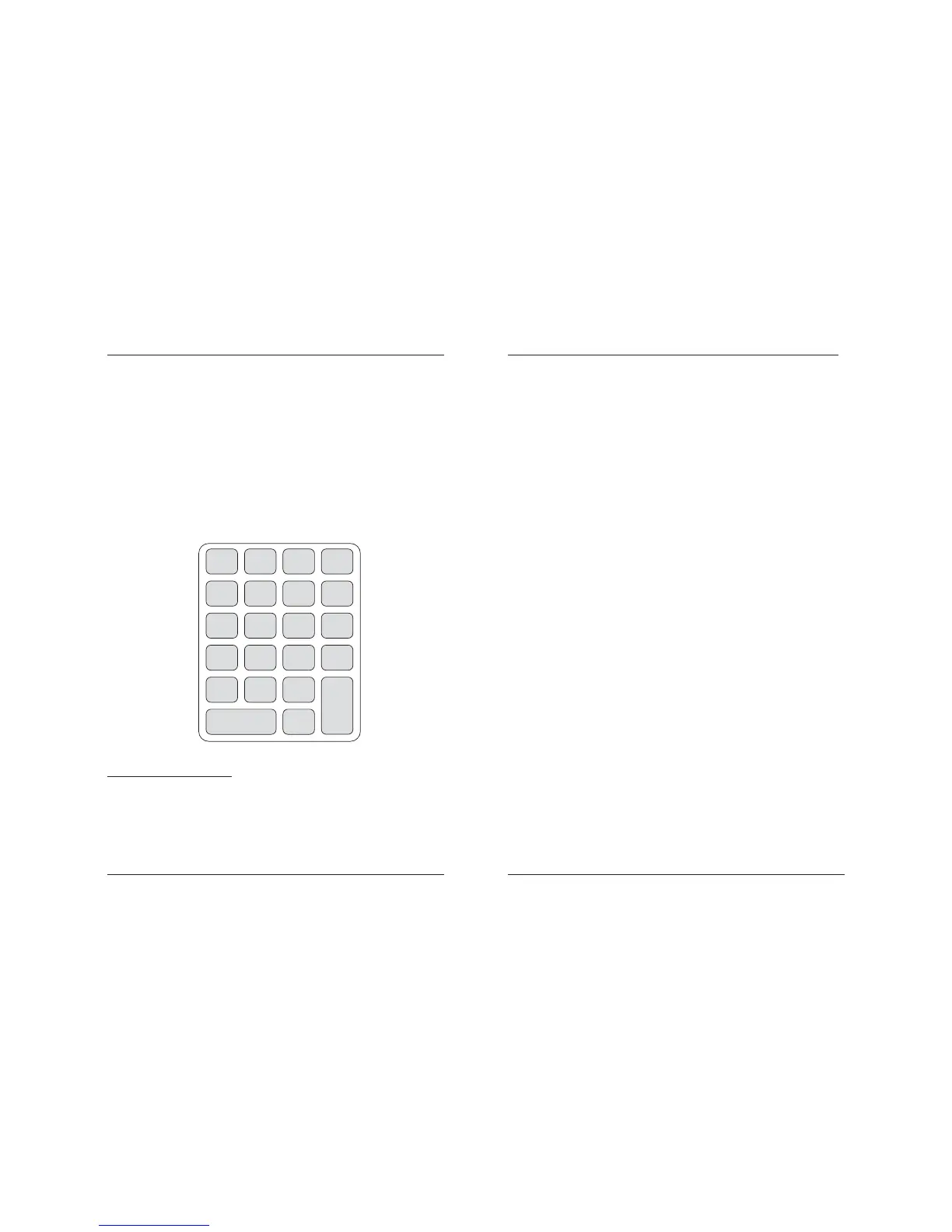
6. Working with the local keyboard EKP-30
The 1200 bps baud rate is reserved for operating with the local keyboard. The
local keyboard may be used to select forms, saved in advance, for printing; to print
out a set number of labels; to change the value of the variables V0, V1 and V2 as
well as the counters C0 and C1 plus the option to print a list of the loaded forms,
graphic images and fonts.
The principle for operating the keyboard is as follows: the required information is
entered with the keys - the end is placed via one of the reserved keys, indicated
here below. Depending on this last entry, the printer interprets the information as the
name of a form, the value of a variable or the number of labels for printing. When
entering the information a short audio signal is emitted - after the last key entry it is
rather longer, when receiving a command it is monotonous and irregular when
establishing an error.
Description of the keys:
V0, V1, V2, C0, C1:
When pressing anyone of these keys the information entered is saved
in the printer as a value of the respective variable or counter.
Esc:
The entered information is canceled.
V0 V1 V2 C0
Esc
7
4
1
0
Form
8
5
2
List
9
6
3
.
C1
-
+
Print



 To Next Page