EN Dateq BCS70 Manual Block diagrams 30
This function is available w hen your clock has firmw are version 1.5 or higher. To check your
firmware version go to the input-mask-mode and press the [C] key!
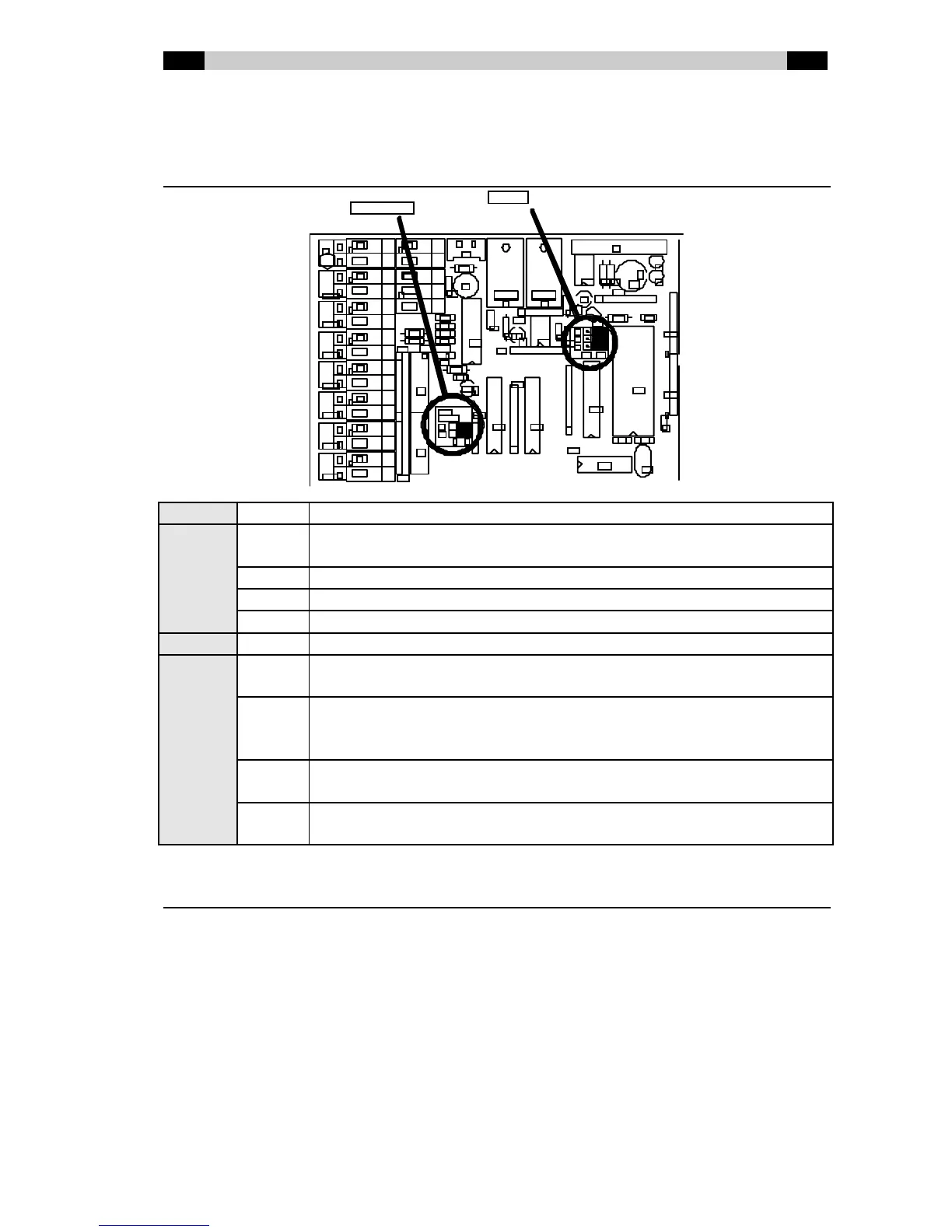
BCS81 jumpers
Jumper On/Off Function
J1 ON BCS81 conf igured as slave (using another Dateq clock/timer-unit as
master)
OFF BCS81 configured as master (default)
ON 12-hour time format with AM/PM (default in the USA)
OFF 24-hour time format (default in Europe)
J2 (not used)
J3 A0 = 0
A1 = 1
Address 0 remote control (default)
A0 = 1
A1 = 0
Address 1 remote control (w hen using multiple Dateq clock/timer-units
in one room, it is recommended to use different remote control
addresses)
A0 = 0
A1 = 1
Address 2 remote control
A0 = 1
A1 = 1
Address 3 remote control
BCS81 antenna
The cable of the supplied DCF77-antenna can be extended w ithout any problem (up to a
maximum of 100 meters, 300 feet). Mount the antenne in a position w here reception quality of
the DCF77-transmitter is good. Be aw are of the fact that the direction of the antenna is
important. If the reception of the transmitter is good, the LED on the antenne w ill blink every
second on a regular basis. If the LED doesn't blink, or blinks irregularly, reception is bad. The
cause for a bad reception can often be found in computer-equipment nearby, or steel
constructions in the building, blocking the long-wave signal of the transmitter.
CAUTION: The supplied antenna is not suitable for outside-mounting. The antenna is not
w aterproof, and the built-in electronic circuit w ill not operate properly below the freezing point
and above 50 degrees Celsius.
R2



 To Next Page