Operation 3-1
SECTION 3: OPERATION
Powering the TW7000
The Power/Volume knob is used to turn on the TW7000. When the
radio is on, the version level of the software displays.
Display: TW7000
VER701xx (where xx is the version level)
The BITE system runs automatically and verifies that the boards are
functional.
Display: TW7000
MODULES
The BITE system searches for any installed options. After verifying
installed options are installed, the options display, as well as the chan-
nel number (in the upper left corner), the channel frequency (in the
upper center), and the clarifier offset (if any, below the frequency).
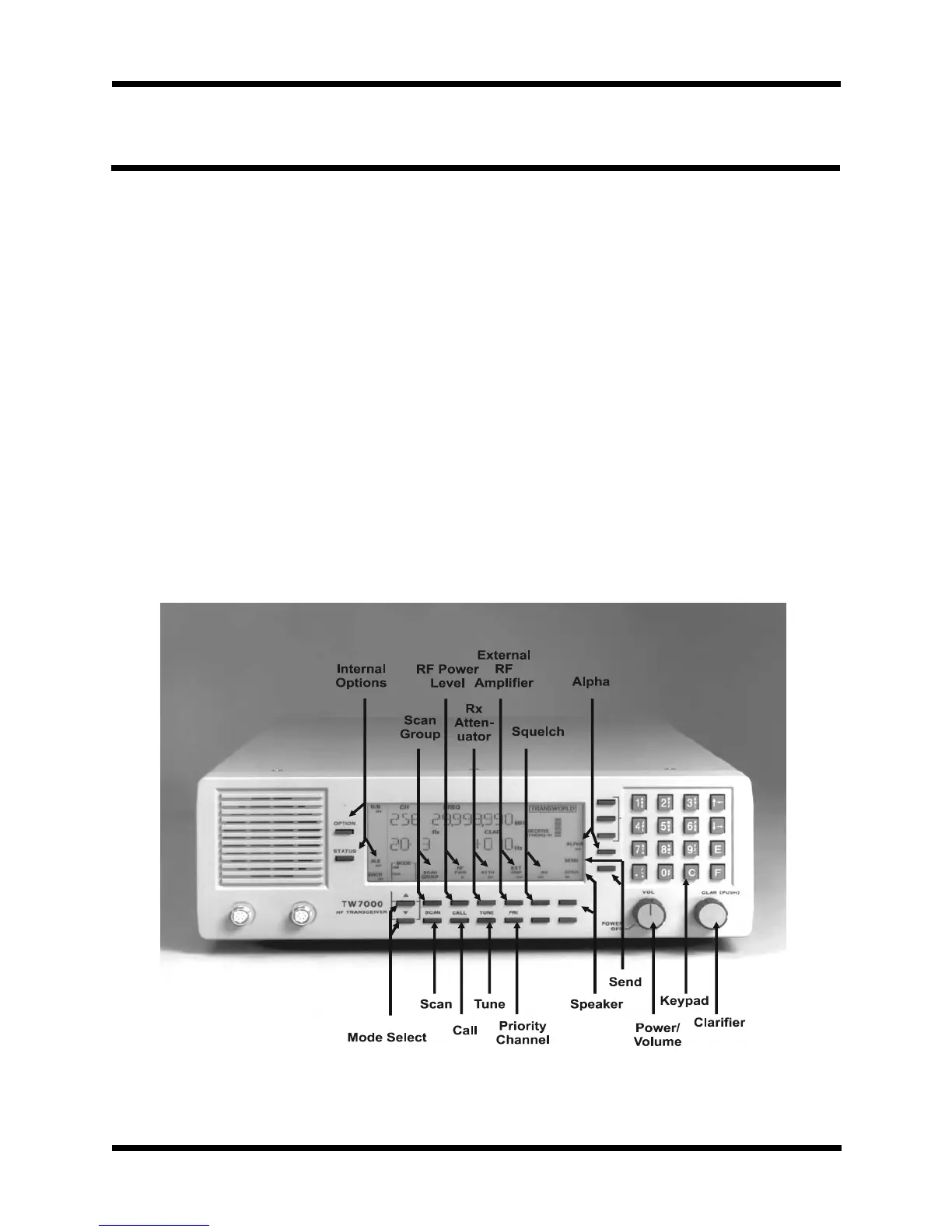
Figure 3-1
TW7000 Front Panel


 To Next Page