12 Global Settings
Dave Smith Instruments
4. Clock Port: MID, USB—Sets the ports, MIDI or USB, by which MIDI
clock signals are received.
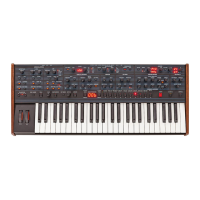
5. Param Xmit: Off, CC, NR—Changes to the values of front panel
controls are transmitted via MIDI as Continuous Controllers (CC) or Non-
registered Parameter Number (NR). Transmission of parameters can also be
turned off. You could, for example, turn the lter cutoff frequence knob on
the Prophet-6 and have it affect the cutoff frequency of another synthesizer.
For a list of Prophet-6 CCs and NRPNs, see Appendix D.
NRPNs are the preferred method of parameter transmission, since they cover
the complete range of all parameters, while CCs are limited to a range of 128.
6. Param Rcv: Off, CC, NR—Sets the method by which parameter changes are
received via MIDI. As with transmission, NRPNs are the preferred method.
7. MIDI Control: Off, On—When On, the synth will respond to MIDI
controllers, including Pitch Wheel, Mod Wheel, Pedal, Volume.
8. MIDI Sysex: MID, USB— When set to MIDI (MID) it will receive
and transmit them using the MIDI ports/cables When set to USB it
will receive and transmit them using the USB port/cable. MIDI SysEx
messages are used when sending and receiving a variety of data includ-
ing, programs, alternative tunings, system updates, and more.
9. MIDI Out: MID, USB—Sets the port by which MIDI data will be trans-
mitted (MIDI or USB).


 To Next Page