64 Appendix B: Troubleshooting and Support
Dave Smith Instruments
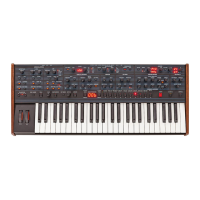
The Prophet-6 plays out of tune.
Check Transpose and Master Tune parameters in the Global settings. If
they seem correct, you may need to retune the oscillators. See “Calibrat-
ing the Prophet-6” on page 56. If this doesn’t help, recalibrate the
pitch and mod wheels. “Calibrating the Pitch and Mod Wheels” on page
57.
The pitch or mod wheel doesn’t go go full range.
Recalibrate the pitch and mod wheels. See “Calibrating the Pitch and
Mod Wheels” on page 57.
A lter sounds strange or out of tune.
You may need to retune the lters. See “Calibrating the Prophet-6” on
page 56.
It is not necessary to run any of the calibration routines on a regular basis. You
should only run it if you are experiencing problems.
If you are still experiencing a problem with the Prophet-6, try resetting the
Global parameters. See “Resetting the Global Parameters” on page 57.
Contacting Technical Support
If you are still having a problem with the Prophet-6, contact Technical
Support at support@davesmithinstruments.com. Please include your
Prophet-6 serial number, the version of the operating system (shown
during startup in the main display), and the purchase date.
If you have not already reset the Global parameters and run the calibration
routines (see Troubleshooting, above), you should do it before contacting Technical
Support. It’s probably the rst thing they’ll ask you to do.


 To Next Page