
 Need help?
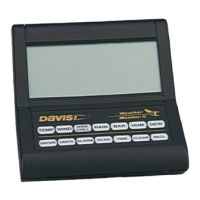
Do you have a question about the DAVIS Weather Monitor II and is the answer not in the manual?
 General
| Brand | DAVIS |
|---|---|
| Model | Weather Monitor II |
| Category | Weather Station |
| Language | English |
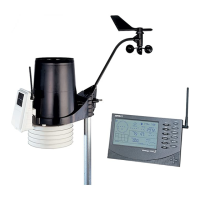
Lists and illustrates all components included with the Weather Monitor II.
Lists additional tools and materials that may be needed for installation.
Instructions on connecting the AC adapter and installing a backup battery.
Details on connecting the console to the junction box using the provided cable.
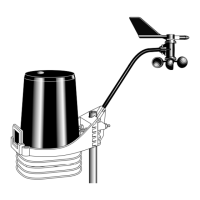
Step-by-step guide for assembling the anemometer components.
Procedure to verify the anemometer's wind speed and direction sensors are functioning.
Procedure to verify the external temperature sensor is providing readings.
Guidelines and steps for mounting the anemometer securely.
Guidelines for positioning the external temperature sensor for accurate readings.
Instructions for securely mounting the junction box indoors or outdoors.
Recommendations for placing the console indoors or outdoors for optimal readability.
Explanation of the ENTER key's function for data entry and changes.
How the Weather Monitor II records and displays high and low readings for various functions.
How to display and set the current time and date on the console.
How the console measures and displays inside and outside temperatures.
How to display and interpret wind speed and direction readings.
Explanation and display of wind chill calculations based on temperature and wind.
How to display inside and outside humidity and record highs/lows.
Information on using the rainfall function with the optional Rain Collector.
How the console measures, displays, and trends barometric pressure.
Explanation of dew point and how to display it (requires optional sensor).
How to set, display, and manage high and low alarms for various weather functions.
How to reset high/low readings and stored barometric pressure to default.
How to use the automatic scanning of weather functions and program custom scans.
How to turn the console's display lamp on and off.
How to adjust calibration numbers for inside and outside temperature readings.
Details on adjusting calibration numbers for wind speed measurements.
How to adjust calibration numbers for outside humidity readings.
Step-by-step guide for modifying calibration numbers for various functions.
Procedure to reset all calibration numbers to their factory default values.
Common issues and solutions related to the console display and operation.
Solutions for common problems with inside and outside temperature readings.
Solutions for common issues related to inside humidity readings.
Solutions for common problems with wind speed and direction readings.
Solutions for common issues related to wind chill calculations.
Details on the limited warranty policy for the Weather Monitor II.
Information on how to contact the Davis Service Center for questions or support.
Information regarding FCC compliance and potential radio interference.
Specifications for temperature readings and wind speed/direction.
Specifications for rainfall measurement and barometric pressure.
Specifications for humidity readings and timekeeping accuracy.







 To Next Page
