

 To Next Page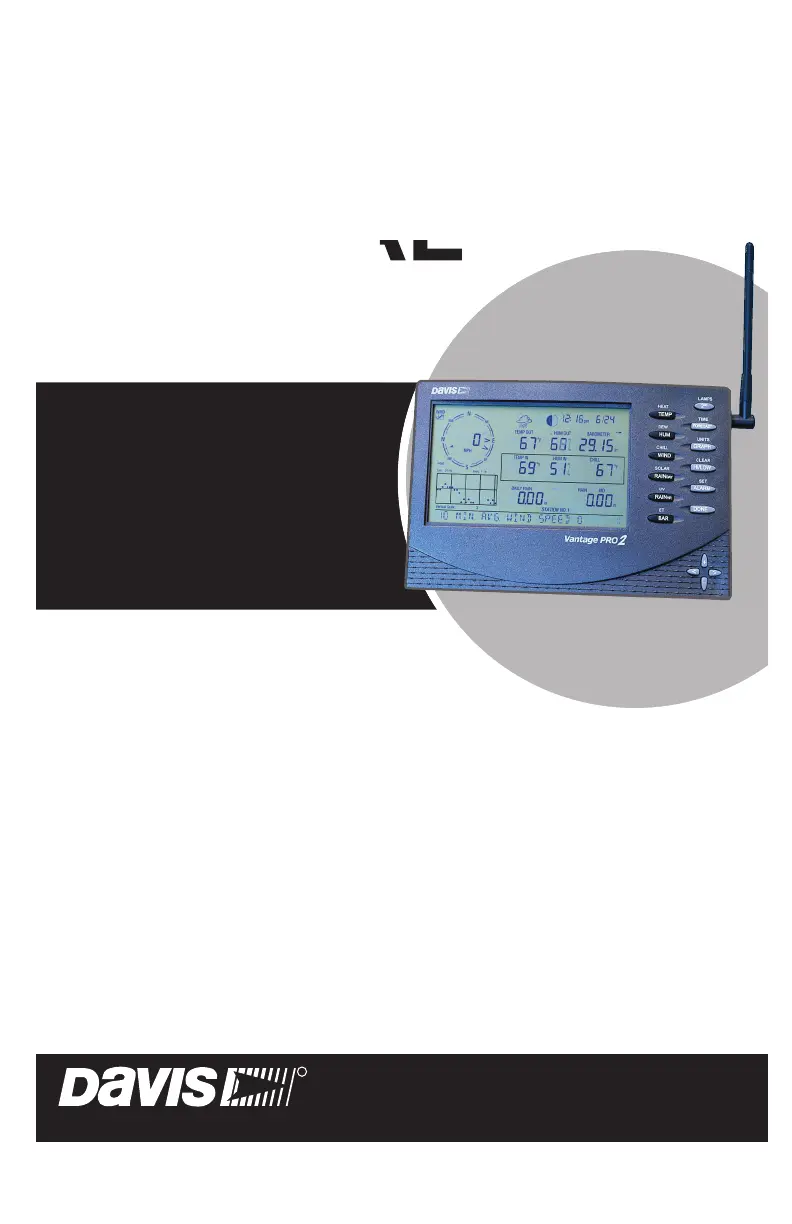


R
randymerrittSep 23, 2025
What to do if DAVIS Music Mixer display shows “Low Battery Console”?
- SSarah ReyesSep 23, 2025
If the DAVIS Music Mixer display shows “Low Battery Console”, replace the console’s C-cell batteries.

What to do if DAVIS Music Mixer display shows “Low Battery Console”?
If the DAVIS Music Mixer display shows “Low Battery Console”, replace the console’s C-cell batteries.
What to do if the DAVIS Music Mixer display locks up?
If the display on your DAVIS Music Mixer locks up, reset the console by removing both AC and battery power, then restore the power. If this happens frequently when using AC power, plug the AC power adapter into a surge suppressor.
Why is the inside temperature reading too high on my DAVIS Music Mixer?
If the inside temperature reading on your DAVIS Music Mixer seems too high, move the console out of direct sunlight. Ensure it's not touching an exterior wall that heats up or near any heat sources like lamps or appliances. Also, ensure the console backlight is off and check the calibration number, adjusting if necessary.
How to fix a blank display on a DAVIS Music Mixer?
If the display on your DAVIS Music Mixer is blank, it's likely not receiving power. Check the power adapter connections or replace the batteries.
Why does the inside humidity seem too high or low on my DAVIS Music Mixer?
If the inside humidity on your DAVIS Music Mixer seems too high or too low, make sure the console isn't near a humidifier or dehumidifier. Check the calibration number and adjust if necessary. If the inside humidity is low and the inside temperature is too high, also ensure the console backlight is off.
Why does DAVIS Music Mixer display show “RECEIVING FROM.....”?
The DAVIS Music Mixer displaying “RECEIVING FROM.....” indicates that the console has rebooted. Hold the DONE key to return to Current Weather Mode. If power was lost, check the time setting.
What to do if DAVIS Music Mixer display locks up?
If your DAVIS Music Mixer display locks up, reset the console by removing AC and battery power, then restore power. If this happens frequently when the console is AC-powered, plug the AC power adapter into a surge suppressor.
Why DAVIS Music Mixer display shows dashes in place of weather data?
Dashes on your DAVIS Music Mixer display instead of weather data may indicate several issues: the ISS is not plugged in (for cabled stations), sensors aren't transmitting (for wireless stations), or the console isn't receiving data (for wireless stations). Also, a reading might have exceeded the specified limits, or calibration numbers may be causing readings to exceed display limits. Check the calibration number and adjust it if needed.
Why does my DAVIS Music Mixer display dashes instead of weather data?
If your DAVIS Music Mixer displays dashes in place of weather data, for a cabled station, ensure the Integrated Sensor Suite (ISS) is plugged in. For a wireless station, possible causes are that sensors are not transmitting or the console is not receiving. Also, a reading may have exceeded the specified limits, or calibration numbers may be causing readings to exceed display limits.
Why is the inside temperature sensor reading too low on my DAVIS Music Mixer?
If the inside temperature sensor reading on your DAVIS Music Mixer seems too low, ensure the console or sensor isn't touching an exterior wall that cools down or near an air conditioning vent. Check the calibration number and adjust if needed.
Describes the console's keyboard, display, and modes for interacting with weather data.
Details available data collection and optional sensor/transmitter upgrades for the station.
Explains how to power the console using AC adapter or batteries for cabled and wireless stations.
Provides step-by-step instructions for connecting the AC power adapter to the console.
Details the process of inserting C-cell batteries for console power and backup.
Guides on selecting an optimal location for the console for accurate readings and accessibility.
Instructions for using the console's kickstand to set display angles for table or shelf placement.
Step-by-step guide for securely mounting the console to a wall using keyholes.
Overview of the five operating modes: Setup, Current Weather, High/Low, Alarm, and Graph.
Explains how to enter and navigate Setup Mode for station configuration settings.
Sets up transmitter IDs and checks for active stations.
Configures time, date, latitude, longitude, and time zone for accurate readings.
Sets console elevation and daylight saving time mode for accurate data.
Configures wind cup size, rain collector, and rain season parameters.
How to choose and display different weather variables on the console screen.
Instructions on changing measurement units for various weather variables.
How to view wind speed and direction, including dominant directions.
How to display and switch between outside/inside temperature and humidity.
Explains how to display Wind Chill and Dew Point values.
How to display barometric pressure and interpret pressure trend indicators.
How to display UV index, UV dose, Heat Index, and THSW Index.
How to view rain rate, daily, monthly, and yearly precipitation totals.
How to display solar radiation and control the console backlight.
Explains the weather forecast icons used on the console display.
How to toggle the display between current time/date and sunrise/sunset times.
Steps to calibrate temperature and humidity readings for accuracy.
Procedure to correct wind direction readings if the anemometer is not pointing true north.
Steps to calibrate barometric pressure readings, referencing elevation setting.
How to manually set values for Daily, Monthly, and Yearly Rain/ET variables.
How to clear specific weather variables like Barometer, Wind, Rain, and ET.
Command to clear all stored data and alarms for resetting the station.
How to enter Highs and Lows mode and scroll through recorded data.
Details about alarms for ET, Barometric Pressure Trend, and Time.
Step-by-step guide for setting high and low alarm thresholds for various variables.
How to select a weather variable and view its historical data in graph format.
Instructions for setting a specific time-based alarm.
How to clear individual or all alarm settings.
A guide to diagnose and solve common problems with the console display and humidity readings.
Common issues and solutions for various weather readings like wind, temperature, rain, and UV.
Steps to diagnose and resolve issues with wireless signal reception between console and ISS.
Introduction to diagnostic modes that monitor station radio reception and data.
Details on interpreting statistical data about data reception from the weather station.
Information pertinent to wireless reception, including signal strength and frequency errors.
Procedure to change console batteries without losing stored data or settings.
Information regarding the product's warranty policy and details.
Explanation of how wind speed and direction are measured and calculated.
Description of outside and inside temperature sensors and their readings.
Introduction to Wind Chill, Heat Index, and TSW Index calculations.
Explains relative humidity and dew point measurements.
Explanation of the rain collector, units, and rain totals tracked.
Definition of atmospheric and barometric pressure and its forecasting utility.
Explanation of Global Solar Radiation and its measurement.
Information on UV radiation, its health effects, and how the console displays readings.
Definition of ET, its calculation, and the need for a solar radiation sensor.
Technical specifications for the Vantage Pro2 console, including operating conditions and dimensions.
Details on transmit/receive frequency, range, and power for wireless communication.
Information on how historical data is stored, listed, and cleared.
Details on graph time intervals and alarm indication methods.
Specifications for barometric pressure, including update interval, resolution, range, and accuracy.
Specifications for inside and outside temperature and humidity.
Specifications for wind speed measurement, including units and accuracy.
Step-by-step guide to configure the console to receive data via repeaters.
How to verify that the console is successfully receiving data through a repeater.
Instructions to turn off the repeater function if it's not being used.
Explains the weather forecast icons used on the console display.
Explains the alarm bell and barometric pressure trend icons.
Accessing support resources online and via email.
Davis Instruments telephone number and operating hours for technical support.
 General
| Brand | DAVIS |
|---|---|
| Model | Vantage Pro2 Plus |
| Category | Weather Station |
| Language | English |










