www.Day6Outdoors.com Page 17
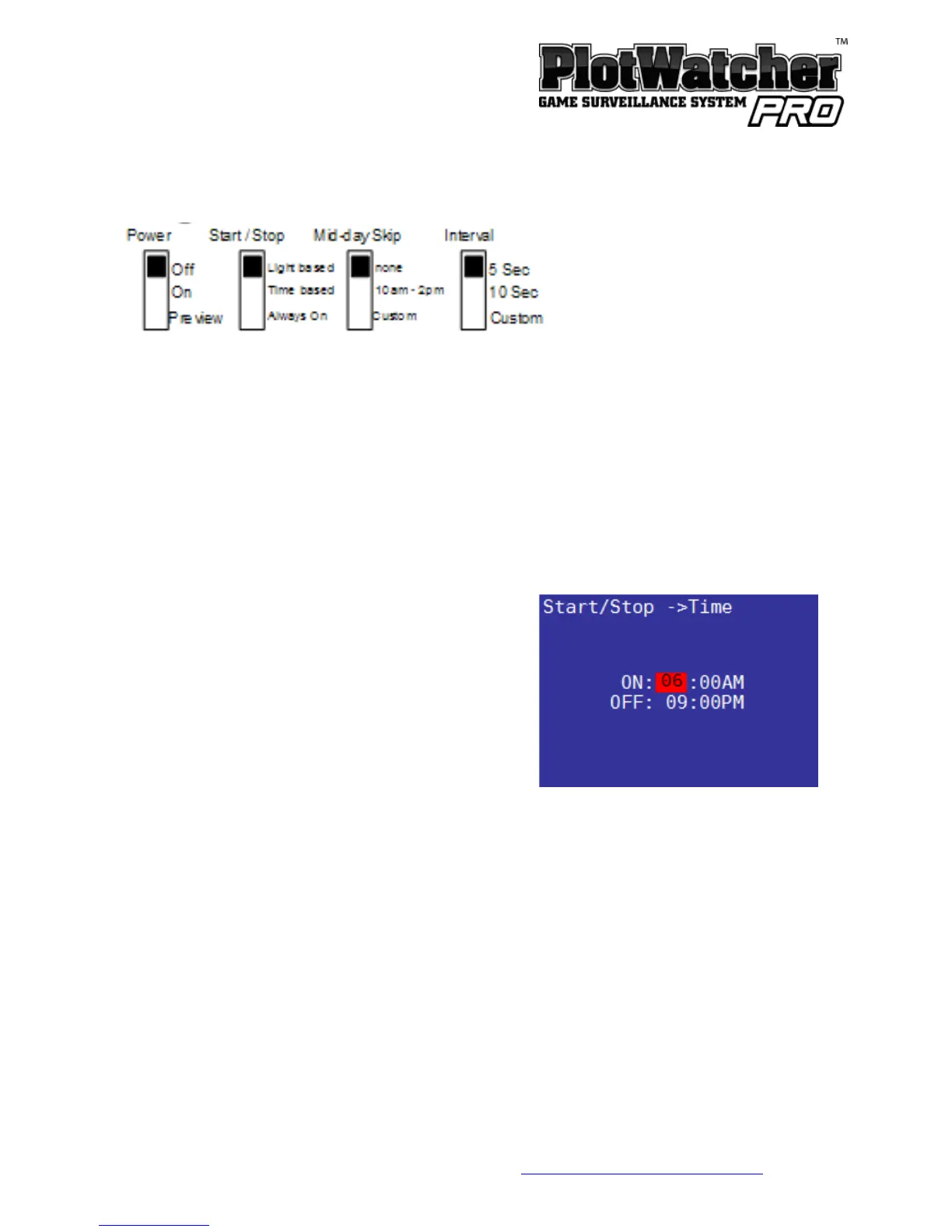
Start / Stop Options
Light Based
In “Light based” start /stop mode, the camera will come on as soon as there is
enough light for an image to be captured, and will cut off when there is no
longer enough light to do so. During darkness, the camera is in “night mode”
and takes a picture every 5 minutes to determine if it is bright enough to
resume capturing time-lapse video.
Time Based
In “Time based” start/stop mode, you
specify the specific time you want the
camera to power on and power off. These
are set on the screen-based settings page
shown at right:
Always On
”Always On” mode is typically used in security situations where continuous
monitoring is desired, and some external form of light will be available, such as
parking lots, offices, etc. Note that operation at night will deplete the batteries
slightly more quickly because of longer exposures during the image capture.


 To Next Page