www.Day6Outdoors.com Page 6
Camera Quick Start
1. Unpack your PlotWatcher Pro and remove all protective film.
2. Insert 4 or 8 AA batteries into the upper, lower, or both compartments.
Do not mix battery types in a given compartment.
3. Insert your SDHC memory card into the memory card slot.
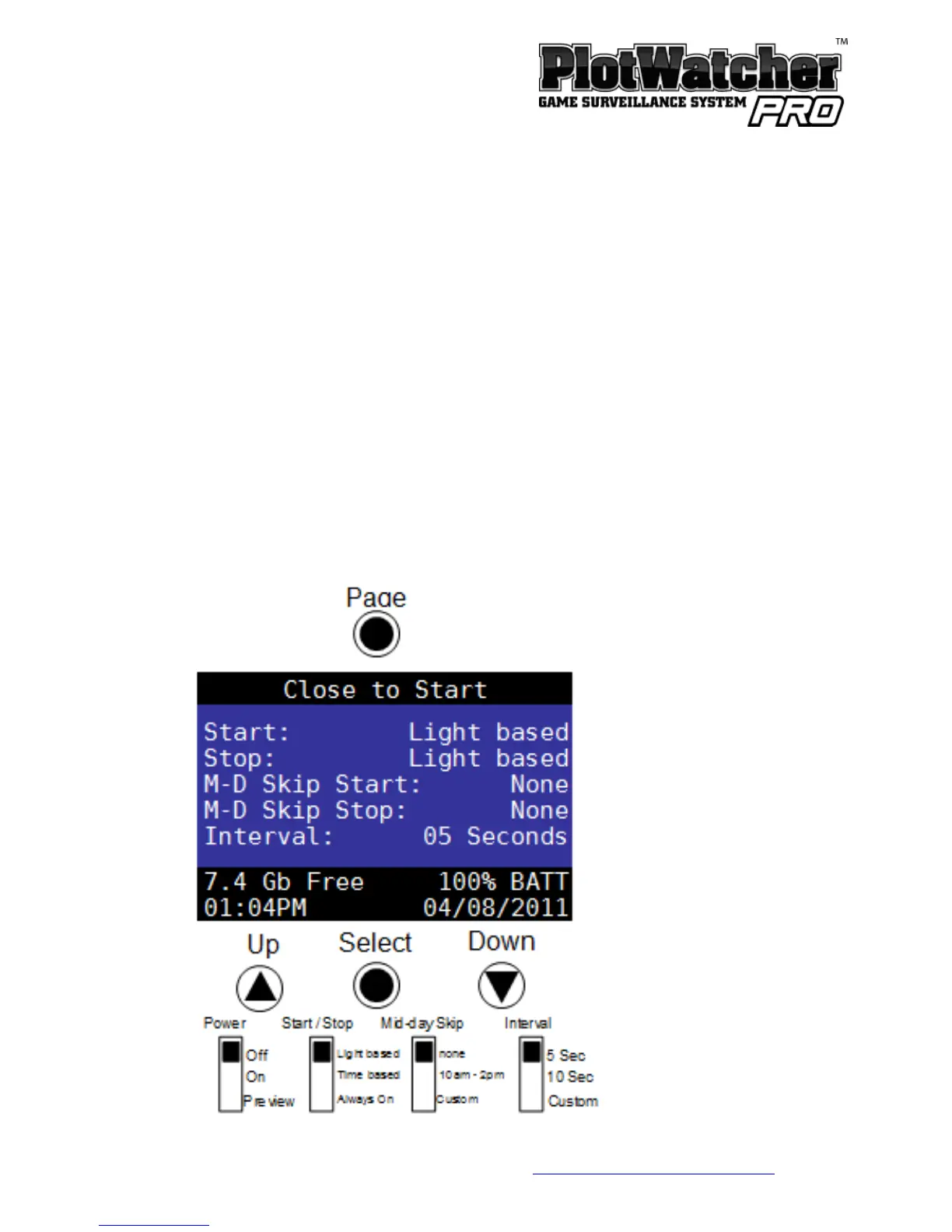
4. Put the setting switches into the upper positions as shown below.
Start/Stop: Light Based
Midday Skip: None
Interval: 5 Seconds


 To Next Page