www.Day6Outdoors.com Page 16
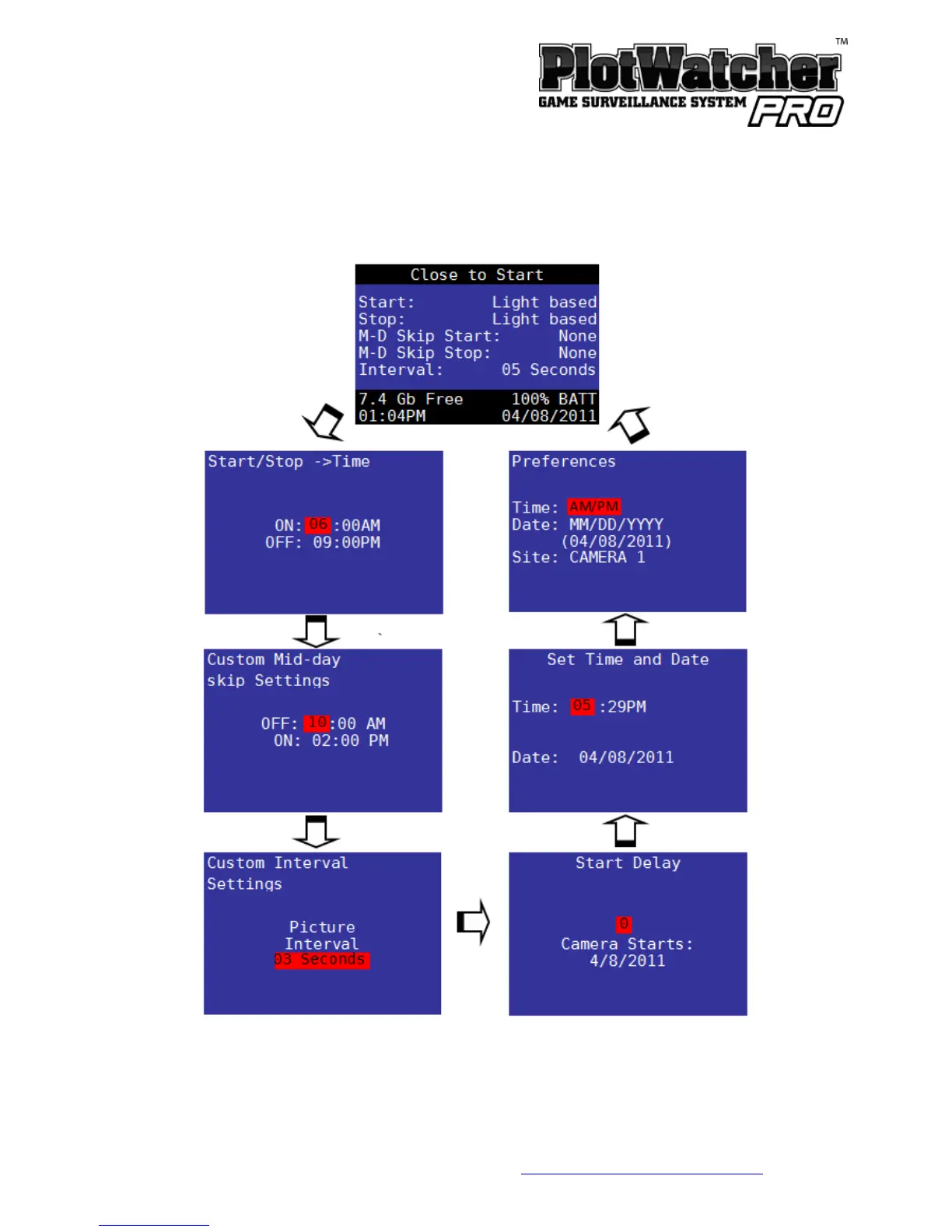
Screen–Based Setting Pages
The screen-based setting pages are where you can set the time and date,
special features, and custom setting values.
Press PAGE button to cycle to the next page.
Press SELECT button to cycle to the next field on a page.
Press UP or DOWN button to change values in a field.



 To Next Page