MIRcat OPERATION
•
D11-00028-02-A Page 47 of 54
Wavelength trigger A TTL pulse is generated on Pin3 of the DB-9 connector at each
wavelength step once the step size and wavelength range is entered.
8. Width, Frequency and Duty Cycle
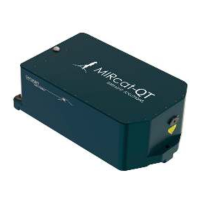
The following sections define how to set the width, frequency and duty cycle for the MIRcat laser head
using the MIRcat GUI Laser Settings menu. The dependencies between these three values are defined by
this formula:
Duty Cycle (%) = Width x Frequency x 100
Changing the value of one parameter in this equation will cause other values to change automatically, as
defined by the table below:
Action Width Frequency Duty Cycle
Change Width As Requested Does not Change Changes
Change Frequency Changes As Requested Does not Change
Change Duty Cycle Changes Does not Change As Requested
Note: The firmware defines a maximum allowable value for pulse width and duty cycle to prevent thermal
stress to QCLs in the MIRcat laser head:
Maximum Width value 1.0 µs
Maximum Duty Cycle value 10%


 To Next Page
 Loading...