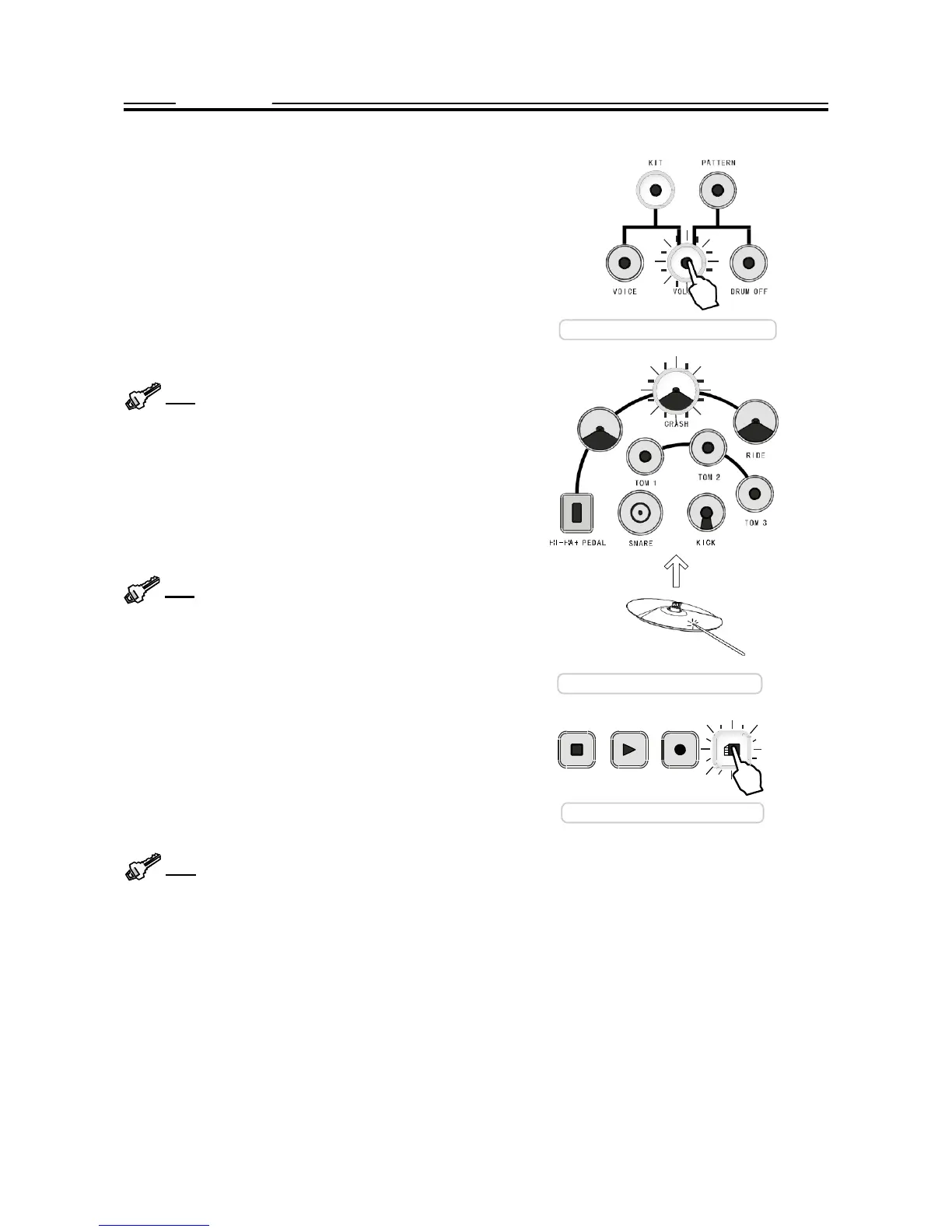
The following procedure is for voice
assignment.
The way of
changing its volume is the same.
While the VOICE button and the selected pad button blink,
its current voice number will appear on the display. Use the
+, - button to change the voice number ranging 1 - 184.
Press both + and - button simultaneously, its original voice
will be restored. All assignable voices are listed in the Ap-
pendix VOICE LIST.
You can test the voice by striking the pad or pressing the
pad button.
Enter the volume change mode
Tip:
Press and hold down the + or - button, the data
will change
consecutively.
It is helpful for you to change
the number in large range.
You can change the voice of another pad by pressing an-
other button.
Or, you can adjust the volume of this pad by pressing the
VOLUME button and the VOLUME button will light up and
blink. The display shows current volume. Then, use the +/-
button to change the volume ranging 0 - 127.
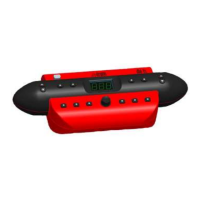
Tip: An easy way to select a part is to hit the pad or
press the Hi-Hat pedal directly. The
corresponding
but-
ton will light up and blink. Please note that a too slight
striking cannot trigger a proper selection.
EXIT FROM THE EDIT MODE
Press the blinking VOICE or VOLUME button again to exit
and turn to the kit select mode. Its indicator will be off. Please
HI-
HAT
Easy way to select pad
note that your setting will be lost
when
you turn off the power.
You can also exit by pressing the SAVE button. In this
way, your setting is nonvolatile even when you turn
off the power.
STOP
PLAY
RECORD
Save the
editing
SAVE
Tip:
You can restore the factory setting. Please
refer to description about the Reset on page 9.


 To Next Page