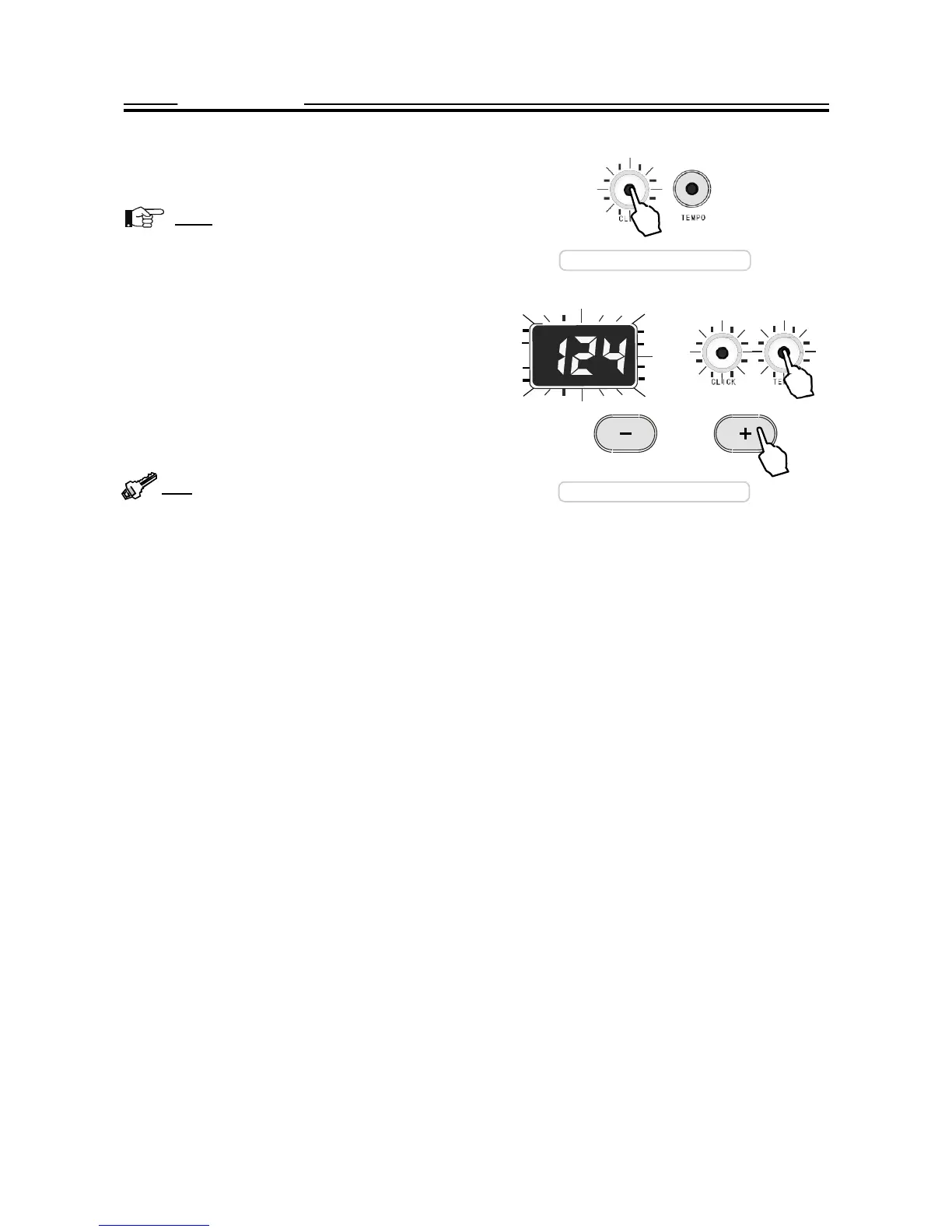
Press the CLICK button to activate the metronome, its indi-
cator will light up and flash according to current tempo.
Note: During the pattern playing, the metronome
cannot sound but the CLICK button will flash if the
metronome is engaged.
Press the button again to stop it.
The speed of the
metronome
is determined by tempo value.
It
is
adjustable.
Press
the
TEMPO
button.
Its
indicator
will
light up and blink. The current tempo will appear on the dis-
play and blink. Use the + or- button to change the tempo
ranging 40 - 240. Press both + and - button simultaneously,
the tempo will restore the default value 120. Wait 3 seconds
or press the TEMPO button again, the display will turn back
to the previous window.
Tip:
Press and hold down the + or - button, the data
will change
consecutively.
It is helpful for you to change
the tempo in large range.
Activate the
metronome
Change the
tempo


 To Next Page