Need help?
Do you have a question about the DBPOWER RD-828 and is the answer not in the manual?
Compliance with FCC radiation exposure limits for an uncontrolled environment.
Guidelines for optimal viewing and careful handling of the projector.
Precautions for using the power cord to prevent shock and fire.
Instructions for cleaning the projector's exterior and lens.
Warnings about touching hot ventilation and looking into the lens.
Advice on warranty, water resistance, and heat dissipation.
Table and explanation for adjusting picture size and distance.
Ensure projector is square to the screen for correct image display.
Details different projector mounting methods (ceiling, desk).
Steps for professional ceiling mounting and required hardware.
Risks of incorrect mounting, temperature, moisture, and ventilation.
Step-by-step guide to powering on and initial setup.
How to adjust focus for a clear image using the focus ring.
Using keystone correction to achieve a rectangular projection.
Steps for adjusting the vertical keystone effect using manual settings.
How to adjust the image using 4-point keystone correction.
Steps to connect the projector to a WiFi network.
Configuration for connecting to wireless networks.
Advice on screen mirroring fluency, device proximity, and compatibility.
Guide on screen mirroring from Apple devices via iOS Cast.
Guide on screen mirroring from Android devices via Miracast.
Instructions for adjusting image settings like keystone and digital zoom.
Steps to adjust the projection size using digital zoom.
How to play media files and office documents from a USB drive.
Procedures for updating the projector's system software.
Information about system version and MAC address.
Options for power on mode, language, and scheduled shutdown.
Explanation of direct and standby power on options.
How to connect and play files from a USB disk.
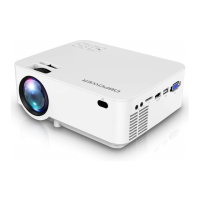
Connecting external devices using HDMI ports.
Connecting a DVD player using AV cables.
Connecting audio devices using the AUX port.
List of video, audio, and image file formats supported by the projector.
Overview of the office suite playback interface and its functions.
Problems with the power indicator light not working.
Problems with the projector not responding to the remote.
Troubleshooting steps for when no image is displayed.
Causes and solutions for the projector shutting off unexpectedly.
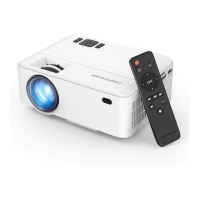
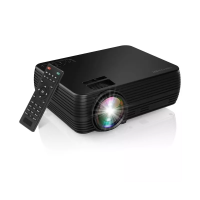
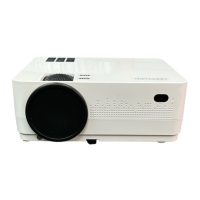
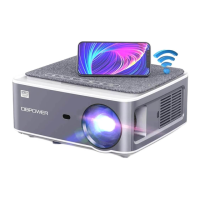
This document describes the DBPOWER RD-828 Full HD 1080P Projector, a versatile projection device designed for various entertainment and professional uses.
The DBPOWER RD-828 projector is capable of displaying Full HD video signals and composite video signals, supporting stereo audio input and output. It is designed to project images from a variety of external devices such as smartphones, iPads, Amazon Fire TV, TV boxes, DVD players, and computers. The projector offers multiple installation methods, including desk-front, desk-rear, ceiling-front, and ceiling-rear projection, to accommodate different viewing environments. It features advanced keystone correction and digital zoom functions for optimal image adjustment. The projector also supports wireless connectivity via Wi-Fi for screen mirroring from iOS and Android devices (iOS Cast and Miracast). Additionally, it can play multimedia files directly from a USB drive and supports various file formats for movies, music, photos, and office suite documents.

 To Next Page
 General