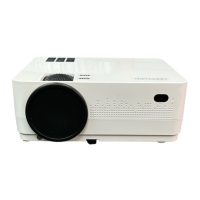
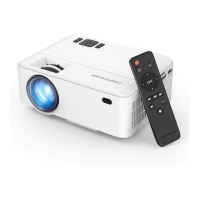
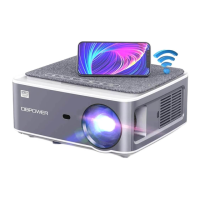
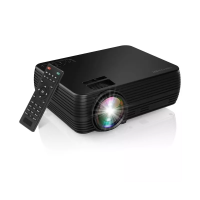
The DBPOWER Mini LCD Video Projector L12 is a compact and versatile device designed primarily for home entertainment in dark environments. It is not recommended for professional presentations such as PPTs, Word, Excel, or business applications.
Function Description:
The projector's core function is to display video, music, photos, and text from various input sources onto a projection screen. It supports multiple connectivity options, allowing users to connect it to smartphones, tablets, PCs, laptops, and other HDMI-compatible devices. The device features both manual focus and keystone correction to optimize image display. It also includes an IR transmitter for remote control operation, offering convenience in managing playback and settings.
Important Technical Specifications:
- Imaging Technology: TFT LCD
- Color Reproduction: 16.7K
- Resolution: 800x480 RGB (Native), 1920x1080 (Highest Supported)
- Keystone Correction: Manual Correction ± 15°
- Power Voltage: 100V-240V 50/60Hz
- Light Source: LED
- Integrated Wattage: 51W (Max)
- Life Span: 50,000 hours
- Lens: Multichip Coated (F=125)
- Input Interfaces: USB, TF, VGA, HDMI, AV
- Output Interfaces: Earphone, USB (5V-500MA)
- Speaker: 8Ω 2W
- System Support: Multi-media
- Language Support: 23 Languages
- Throw Distance: 1-5M
- Screen Size: 32-176 Inches
- Aspect Ratio: 4:3/16:9
- Unit Size: 202.2 x 158.5 x 75.8 mm
- Projector Ratio: 1.4:1
- Net Weight: 0.92KG
- Supported Audio Files: MP3/WMA/OGG/AAC/MA4/FLAC/APE/WAV
- Supported Picture Files: JPEG/BMP/PNG
- Supported Video Files: MPEG1, MPEG2, FLV, MPEG4, RM, AVI/RMVB, MOV, MKV, DIVX, FVOB M-JPEG (only unsupported 640x480)
- Supported Text Files: TXT
- Supported HDMI Resolutions: 576P, 480P, 720P, 1080P, 640x480, 800x600, 1024x768, 1280x1024, 1280x720, 1440x900, 1366x768, 1920x1080, 1280x800, 1440x960, 680x1050
Usage Features:
- Connectivity:
- Power: Connects via a standard power cable with ground wire.
- Smartphones/Tablets: Requires a wireless HDMI adapter. For Android phones supporting MHL, an MHL to HDMI cable is needed. For iPhones/iPads, a Lightning to HDMI cable adapter is required.
- PCs/Laptops: Connects via HDMI. For optimal clarity, PC/laptop display resolution should be adjusted to 800x600 or 1024x768.
- USB/TF Card: Directly insert USB drives or TF cards into the respective slots for media playback.
- AV Connection: Uses a 3-in-1 AV cable for connecting devices like game consoles or DVD players. Supports NTSC/PAL.
- Audio Output: Features a 3.5mm audio jack for connecting headphones or external speakers.
- Operation:
- Power ON/OFF: Can be powered on/off using the button on the projector or the remote control.
- Multimedia Boot Screen: Displays a multimedia menu (Movie, Music, Photo, Text, USB, TF, Source, Setting) within 2-5 seconds of powering on.
- Focus Adjustment: Manual focus knob (button 2) to sharpen the image.
- Keystone Correction: Manual keystone adjustment (button 3) to correct trapezoidal image distortion. Note: The projector does not have horizontal keystone correction; it must be placed horizontally to the projection screen.
- Menu Navigation: Uses the remote control or on-device buttons for navigating menus and adjusting settings.
- Input Source Selection: Allows users to select input sources like PC-RGB, HDMI, AV, USB, or TF from the menu.
- Media Playback: Supports playback of various media types (video, music, photos, text) from USB/TF cards.
- Menu Settings:
- Image Sub-menu: Adjusts picture mode, color temperature, aspect ratio, noise reduction, PC settings, and display size reduction.
- Time Sub-menu: Configures clock, OFF/ON time, auto shutdown timer, and auto sleep.
- Setting Sub-menu: Manages OSD language, restores factory settings, OSD duration, image flip, and zoom.
- Audio Sub-menu: Adjusts sound mode, balance, auto volume, and surround sound.
- Projection Distance and Screen Size: Provides a reference chart for optimal projection distances and corresponding screen sizes (e.g., 100cm for 32 inches, 500cm for 170 inches).
Maintenance Features:
- Ventilation: Users are advised not to obstruct the air vents during use to prevent overheating.
- Dust Prevention: Unplugging the projector and preventing dust from entering when not in use is recommended.
- Storage/Relocation: Use the original packing foam or other anti-shock material when relocating the projector to prevent damage.
- Power Management: Turn off and unplug the projector from the power supply if not using it for a long time.
- Remote Control Care: Do not submerge the remote control in water, keep it away from fire or wet/hot places, avoid mixing old and new batteries, and remove batteries if not using for an extended period to prevent leakage. Point the remote control at the IR receiver for proper function.
- Warranty: The projector comes with a 24-month warranty. Warranty service does not cover the frame, manual, packing, or subjective ideas about video, sound, or image quality.
- Customer Support: Users can contact customer support via email (support@dbpower.co) or phone (1-855-666-9888) for any issues or warranty information. An online chat support is also available.

 Need help?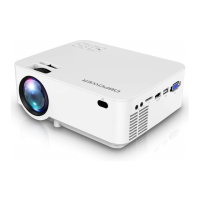

 To Next Page
 General