support@dbpower.co
MENU SETTINGS
6.1 Remote control user guide
6.2 Function of sub-menus
- 17 -
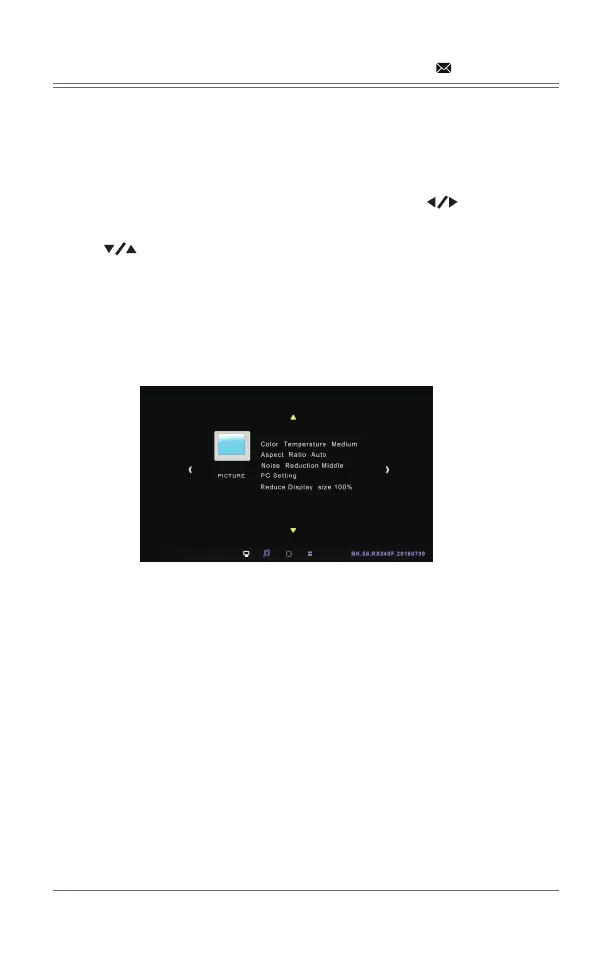
Press the “Menu” key to enter the main menu, then press “ ” to enter each
sub-menu.
Press “ ” to select the sub-menu, then adjust the parameters per your
needs, and press the “OK” key to confirm.
6.2.1 Image sub-menu:Picture mode/color temperature/aspect ratio/noise
reduction.
6.2.2 Time sub-menu
Clock/OFF time/ON time
auto shutdown timer/auto sleep.
6.2.3 Setting sub menu
Available adjustment: OSD language, restore factory settings, OSD duration,
image flip, zoom.
6.2.4 Audio sub menu
Available adjustment: sound mode, balance, auto volume, surround sound.



 To Next Page