11
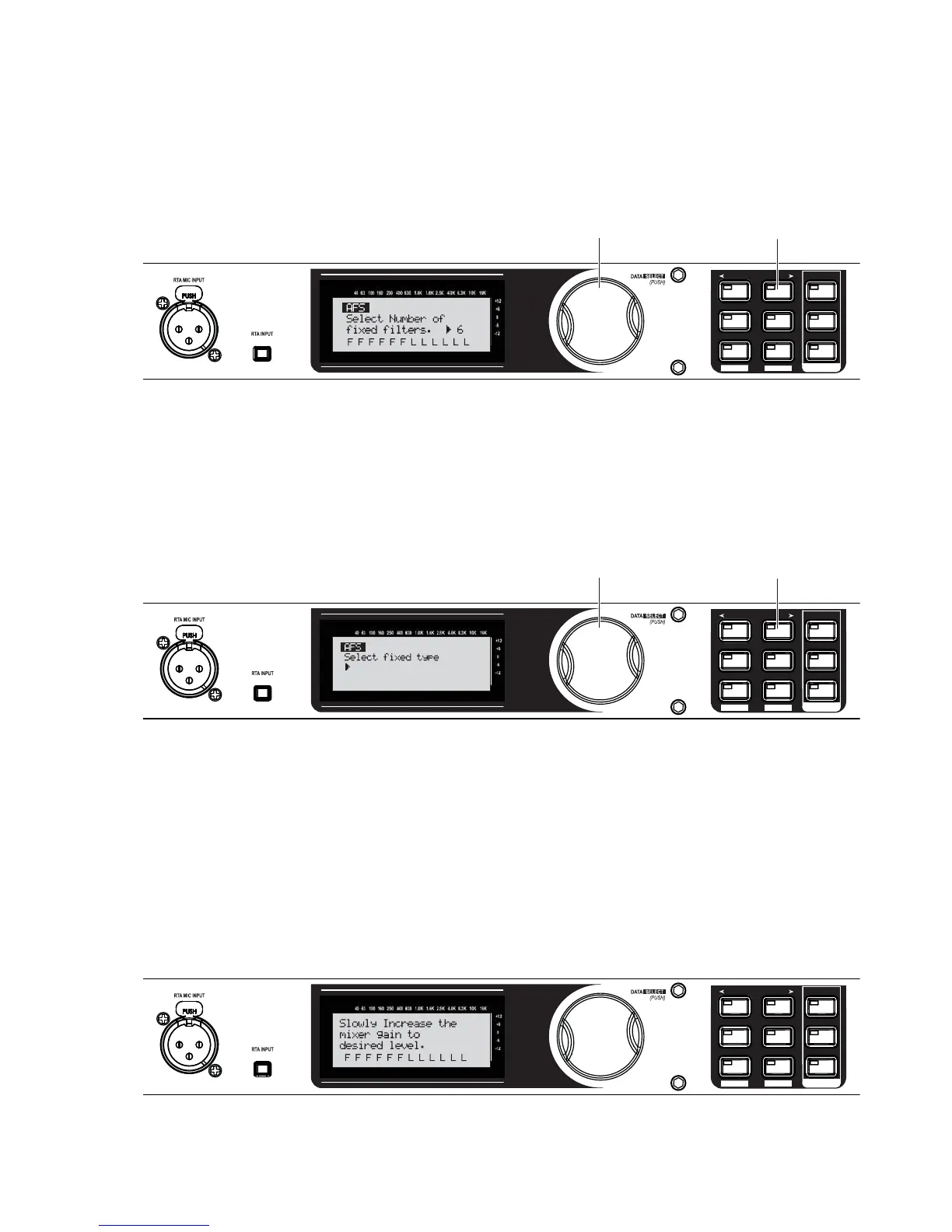
Turn the Data Wheel to choose the number of fixed filters to use with Advanced Feedback Suppression.
These filters, once populated or FIXED, will stay at the set frequency and level. LIVE “L” filters will
change as needed during a performance.
SETUP
AFS
RECALL
SUBHARMONIC
COMP/LIMITER
UTILITY
PRESET
NEXT PG
STORE
EQ
WIZARD
UTILITY
PREV PG
WIZARD
A. Turn the Data Wheel to select the number of fixed filters.
B. Press the
NEXT PG button.
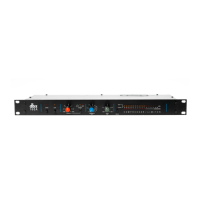
Turn the Data Wheel to choose the EQ notch filter width appropriate for your needs. Speech is a wide
filter, Music Low is a narrow filter, Music Medium is a very narrow filter, and Music High is an ultra nar-
row filter. We’ll use Music High for our example.
SETUP
AFS
RECALL
SUBHARMONIC
COMP/LIMITER
UTILITY
PRESET
NEXT PG
STORE
EQ
WIZARD
UTILITY
PREV PG
WIZARD
A. Turn the Data Wheel to select the EQ notch filter type.
B. Press the
NEXT PG button.
Music High
Ultra Narrow Notch
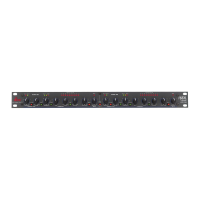
With the channel faders down, set the mixer’s master level to zero (0 dB). With the microphones you’ll
be using during the performance in place and connected, turn up microphone channel levels until feed-
back begins. The AFS will start to populate the Advanced Feedback Suppression fixed filters.
NOTE: Do not talk into any of the microphones or play music. This is only a search for feedback at this
point.
SETUP
AFS
RECALL
SUBHARMONIC
COMP/LIMITER
UTILITY
PRESET
NEXT PG
STORE
EQ
WIZARD
UTILITY
PREV PG
WIZARD
A. Slowly increase the channel gain on your mixer to the desired level.
26.
27.
28.


 To Next Page