18
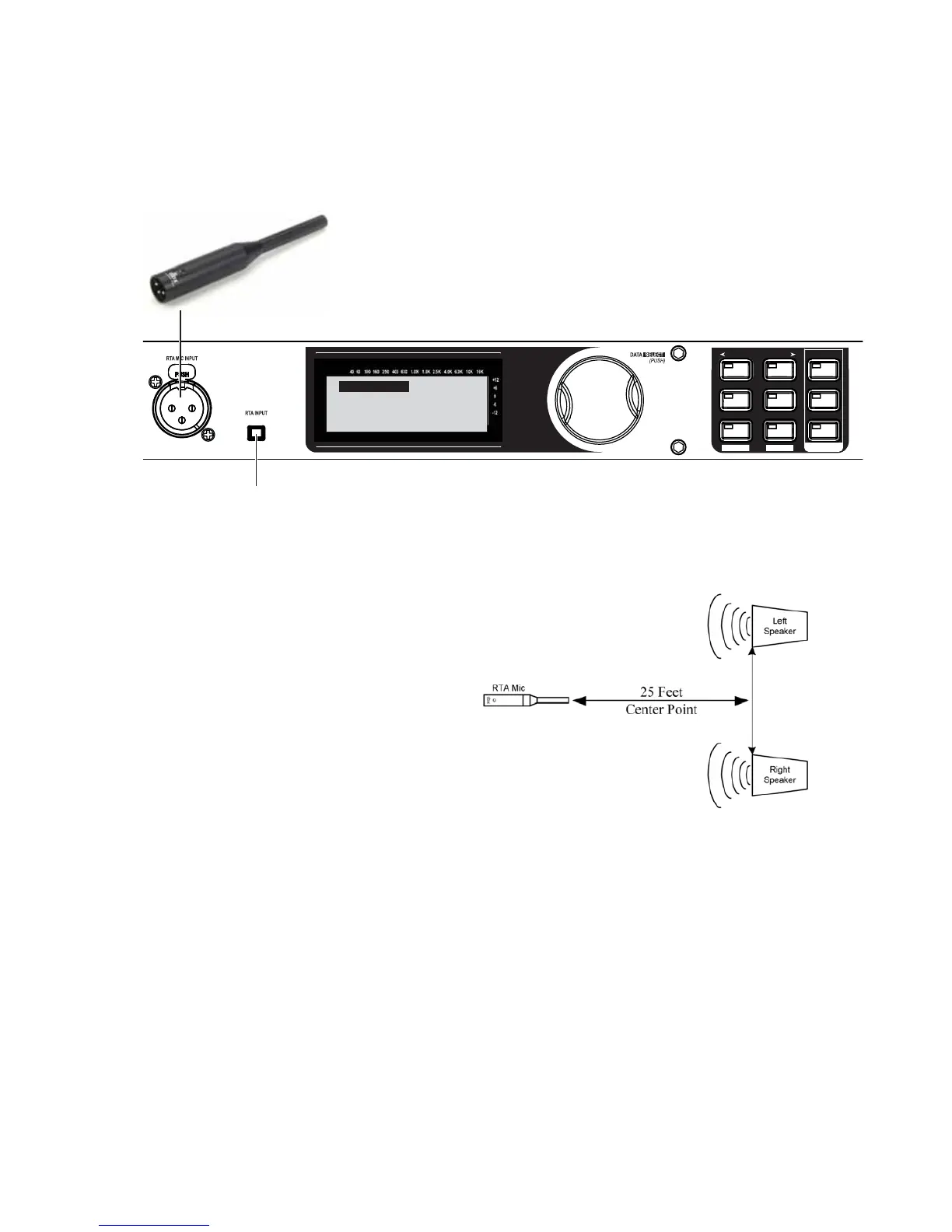
When the display reads “Load New Preset,” connect the RTA mic and press the RTA INPUT button. This
will avoid overwriting settings in your existing preset.
SETUP
AFS
RECALL
SUBHARMONIC
COMP/LIMITER
UTILITY
PRESET
NEXT PG
STORE
EQ
WIZARD
UTILITY
PREV PG
WIZARD
A. Connect the included dbx M2 RTA mic to the
RTA MIC INPUT using an XLR cable at least 25’ long.
B. Press the RTA INPUT button.
Connect mic to RTA
input. Press RTA
input button.
Auto Level
With the RTA mic connected, place the RTA
mic on a mic stand and aim it between the
left and right main speakers approximately
25’ away.
15.
16.


 To Next Page