19
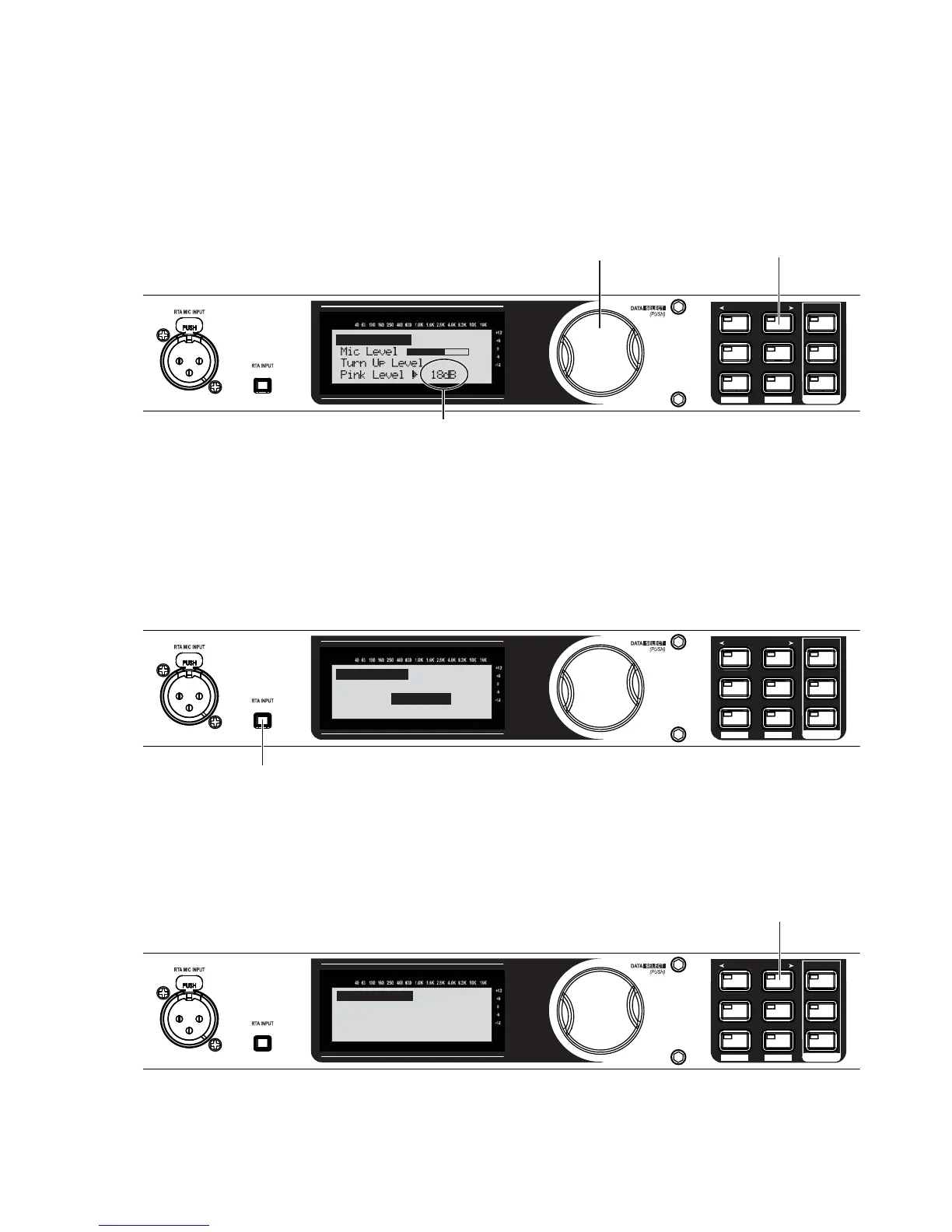
Turn the Data Wheel until pink noise is playing through your speakers at performance level (the same
volume you intend to use during your performance). The words “SET TO PERFORMANCE LEVEL” will ap-
pear in the display when you have passed the minimum threshold. Set level higher as needed.
SETUP
AFS
RECALL
SUBHARMONIC
COMP/LIMITER
UTILITY
PRESET
NEXT PG
STORE
EQ
WIZARD
UTILITY
PREV PG
WIZARD
A. Turn the Data Wheel to adjust pink noise level.
B. Press the NEXT PG button
when your performance
level is reached.
0 dB to 6 dB typical.
Auto Level
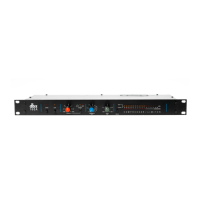
When performance level is reached, press the NEXT PG button. The DriveRack PX will now adjust the
balance between left/right levels for your main speakers (and your subs, if you have them). Note that
you may be prompted to readjust your speaker knob settings if needed.
When the display reads “Auto Level Complete,” release the RTA INPUT button.
SETUP
AFS
RECALL
SUBHARMONIC
COMP/LIMITER
UTILITY
PRESET
NEXT PG
STORE
EQ
WIZARD
UTILITY
PREV PG
WIZARD
Press the RTA INPUT button to release.
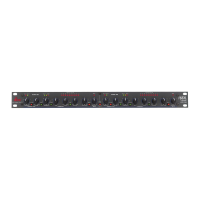
Auto Level Complete
Release RTA INPUT
button to exit.
SETUP
AFS
RECALL
SUBHARMONIC
COMP/LIMITER
UTILITY
PRESET
NEXT PG
STORE
EQ
WIZARD
UTILITY
PREV PG
WIZARD
PRX515 wSub Loaded
and levels balanced.
<NEXT PG>-Auto EQ
<PRESET)-Exit Wizard
Press the NEXT PG button.
17.
18.
19.


 To Next Page