21
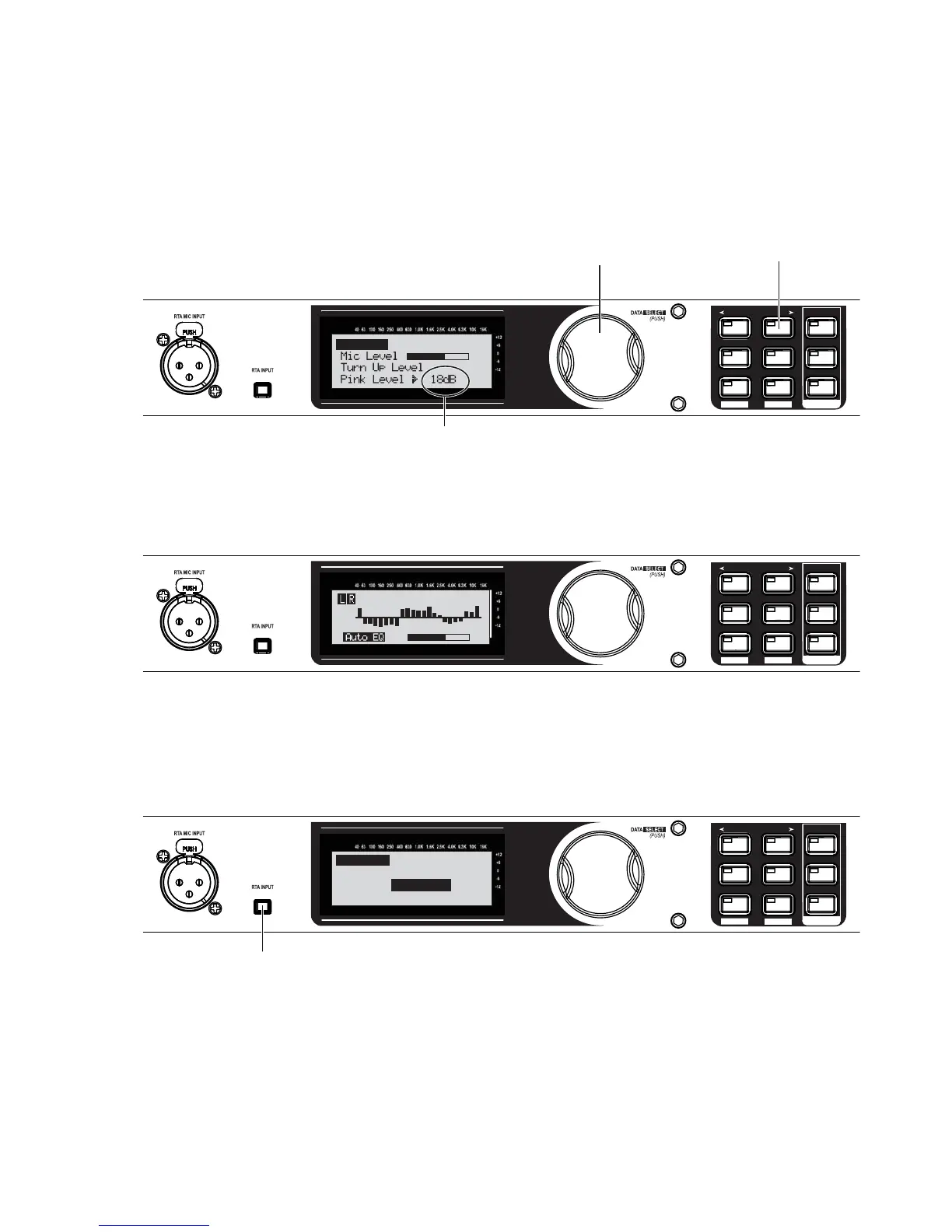
Turn the Data Wheel until pink noise is playing through your speakers at performance level. The words
“SET TO PERFORMANCE LEVEL” will appear in the Display when you have passed the minimum threshold.
Set level higher as needed.
SETUP
AFS
RECALL
SUBHARMONIC
COMP/LIMITER
UTILITY
PRESET
NEXT PG
STORE
EQ
WIZARD
UTILITY
PREV PG
WIZARD
A. Turn the Data Wheel to adjust pink noise level.
B. Press the NEXT PG button
when your performance
level is reached.
0 db to 6 dB typical.
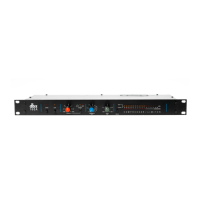
Auto EQ
The Auto-EQ will go through some audible changes as it tunes the speakers to the room. This may take
a few minutes.
SETUP
AFS
RECALL
SUBHARMONIC
COMP/LIMITER
UTILITY
PRESET
NEXT PG
STORE
EQ
WIZARD
UTILITY
PREV PG
WIZARD
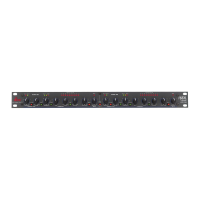
Auto-EQ will complete or finish sending pink noise once it has come as close as possible to matching
the Frequency response you selected earlier. Press the RTA INPUT button to continue on to the AFS
wizard.
SETUP
AFS
RECALL
SUBHARMONIC
COMP/LIMITER
UTILITY
PRESET
NEXT PG
STORE
EQ
WIZARD
UTILITY
PREV PG
WIZARD
Press the RTA INPUT button.
Auto EQ Complete
Release RTA INPUT
button to exit.
23.
24.
25.


 To Next Page