EasyManua.ls Logo

DCS RF24DE4 - User Manual

DCS RF24DE4
16 pages
Print Icon
To Next Page IconTo Next Page
Loading...
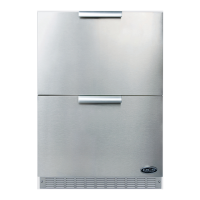
RF24DE4
OUTDOOR REFRIGERATOR DRAWERS
USER/INSTALLATION GUIDE
US CA

Questions and Answers

  • S
    Shawn JonesAug 9, 2025
    What to do if my DCS LCD Drawer will not run?
    • R
      Robert AriasAug 9, 2025
      If your DCS LCD Drawer isn't running, first ensure the appliance is turned on. If it is on, check if the power cord is properly plugged into the outlet. Also, verify that there is power at the outlet by checking your house circuit.
  • K
    Kelsey WebbAug 14, 2025
    Why is my DCS LCD Drawer not cold enough?
    • E
      Erik HillAug 14, 2025
      If your DCS LCD Drawer is not cold enough, there are several potential causes. First, the control might be set too warm; adjust the temperature to a colder setting and allow 24 hours for the temperature to stabilize. Excessive usage or frequent drawer openings can also affect the temperature; allow the temperature to stabilize for at least 24 hours. Make sure that the airflow to the front grille is not obstructed. Finally, check the drawer gasket to ensure it is sealing properly; adjust or replace it if necessary.
  • L
    Lisa BriggsAug 19, 2025
    How to fix noise or vibration in my DCS LCD Drawer?
    • E
      Eric MarshallAug 19, 2025
      If your DCS LCD Drawer is producing excessive noise or vibration: * Ensure the appliance is level. * If the issue persists, it's possible that the fan is hitting a tube obstruction, in that case you should contact a qualified service technician.
  • D
    Daniel Mccarthy MDAug 25, 2025
    Why is my DCS LCD Drawer too cold?
    • M
      Melissa HernandezAug 25, 2025
      If your DCS LCD Drawer is too cold, the temperature control might be set too cold. Adjust it to a warmer setting and allow 24 hours for the temperature to stabilize. Also, inspect the drawer gasket; if it's not sealing properly, adjust or replace it.
  • M
    michaelbensonAug 29, 2025
    What to do if the light won't go out when the DCS LCD Drawer is closed?
    • L
      lsnyderAug 29, 2025
      If the light in your DCS LCD Drawer doesn't turn off when the drawer is closed, it could be due to the drawer not activating the light switch. Ensure the appliance is level. If leveling doesn't solve the problem, the light switch may have failed, and you should contact a qualified service technician.
  • J
    Jill DickersonSep 2, 2025
    Why is there no interior light in my DCS LCD Drawer?
    • S
      sheila03Sep 3, 2025
      If there is no interior light in your DCS LCD Drawer, the LED light assembly or light switch may have failed. Contact a qualified service technician.

DCS RF24DE4 Specifications

General IconGeneral
BrandDCS
ModelRF24DE4
CategoryLCD Drawer
LanguageEnglish

Related product manuals