EN-6
4 Built-in radio receiver
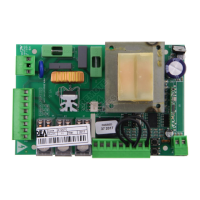
400RR control board includes a 433,92MHz built-in radio receiver accepting both transmitters with HCS coding (complete rolling code
or just fi xed part), and HT12E dip-switch coding:
• The type of coding is selected by programming the working parameter P008 “type of coding” (see Parameters Table);
• The receiver memory capacity can contain up to 100 different transmitters;
• When receiving a pulse from the transmitter, depending on your channel selection and linking, the start or the pedestrian inputs are
activated. In fact, by programming one of the working parameters it is possible to choose, according to one’s needs, which key of the
memorized transmitters will activate the start input and which one will activate the pedestrian input (see “Channel selection and linking
on the transmitter”);
• While you memorize each transmitter the display shows a progressive number by which you will be able to trace and, if necessary,
delete each transmitter individually.
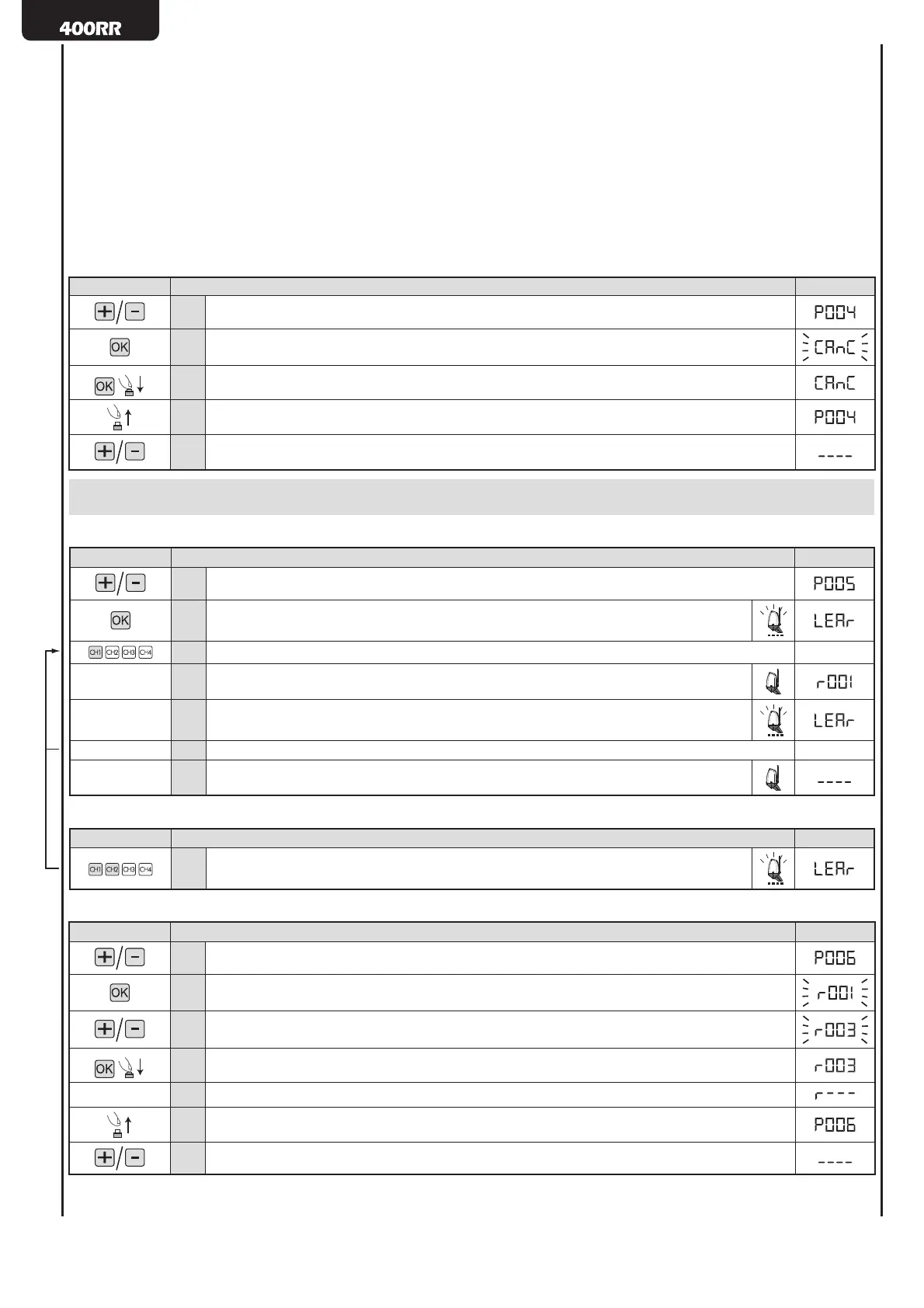
4.1 Deletion of all transmitters
Instructions Function Display
1. Scroll down the parameters until you visualize P004
2. Confi rm! The control board awaits a further confi rmation
3. Confi rm by pressing on the OK key for a few seconds! The procedure starts
4. Done! The transmitters memory has been deleted
5.
Scroll down the parameters until you visualize “- - - -”. The control board awaits a further confi rma-
tion
WARNING If you need to vary the type of encoding, and only if other remotes with different encoding are memorized, you need to erase
memory (P004) AFTER you have set the new encoding.
4.2 Memorization of transmitters
1
Instructions Function Display
1. Scroll down the parameters until you visualize P005
2.
Confi rm! The receiver enters in memorization mode
The fl ashing light blinks!
3. Press on any key of the transmitter
4.
Memorization done! The fl ashing light goes out for 2 seconds
The display visualizes the number of the transm. just memorized (es. “r001”)
5.
The receiver reverts automatically to memorization mode
The fl ashing light blinks!
6. Memorize all necessary transmitters
7.
Wait 10 seconds before quitting the memorization mode
The receiver will now receive all the memorized transmitters
4.3 How to activate the memorization mode without operating on the control board
1
Instructions Function Display
1.
Press simultaneously on key CH1 and CH2, or on the hidden key of a transmitter already
memorized.
4.4 How to search and delete a transmitter
Instructions Function Display
1.
Scroll down the parameters until you visualize P006
2.
Confi rm! You can now select the transmitter
3.
Scroll down the transmitter numbers until you reach the transmitter to be deleted (eg. “r003”)
4.
Confi rm the deletion by pressing the OK key for a few seconds
5.
OK! The transmitter is deleted
6.
You can now select the parameter
7.
Scroll down the parameters until you visualize “- - - -”. The control board awaits further instructions
1
Make sure that the receiver is set to receive the type of coding of the transmitter you wish to memorize: visualize and, if necessary, update parameter
P008 “Type of coding”.



 To Next Page
 Loading...