Technical documentation 20140208BA
Tel.: +49 (0)4105 / 65 60 – 0 * DECKMA GmbH * Fax: +49 (0)4105 / 65 60 – 25
Email: info@deckma-gmbh.de * Internet: www.deckma-gmbh.de
Operating instructions
Version 1.0 2018/03/17 page 10 of 24
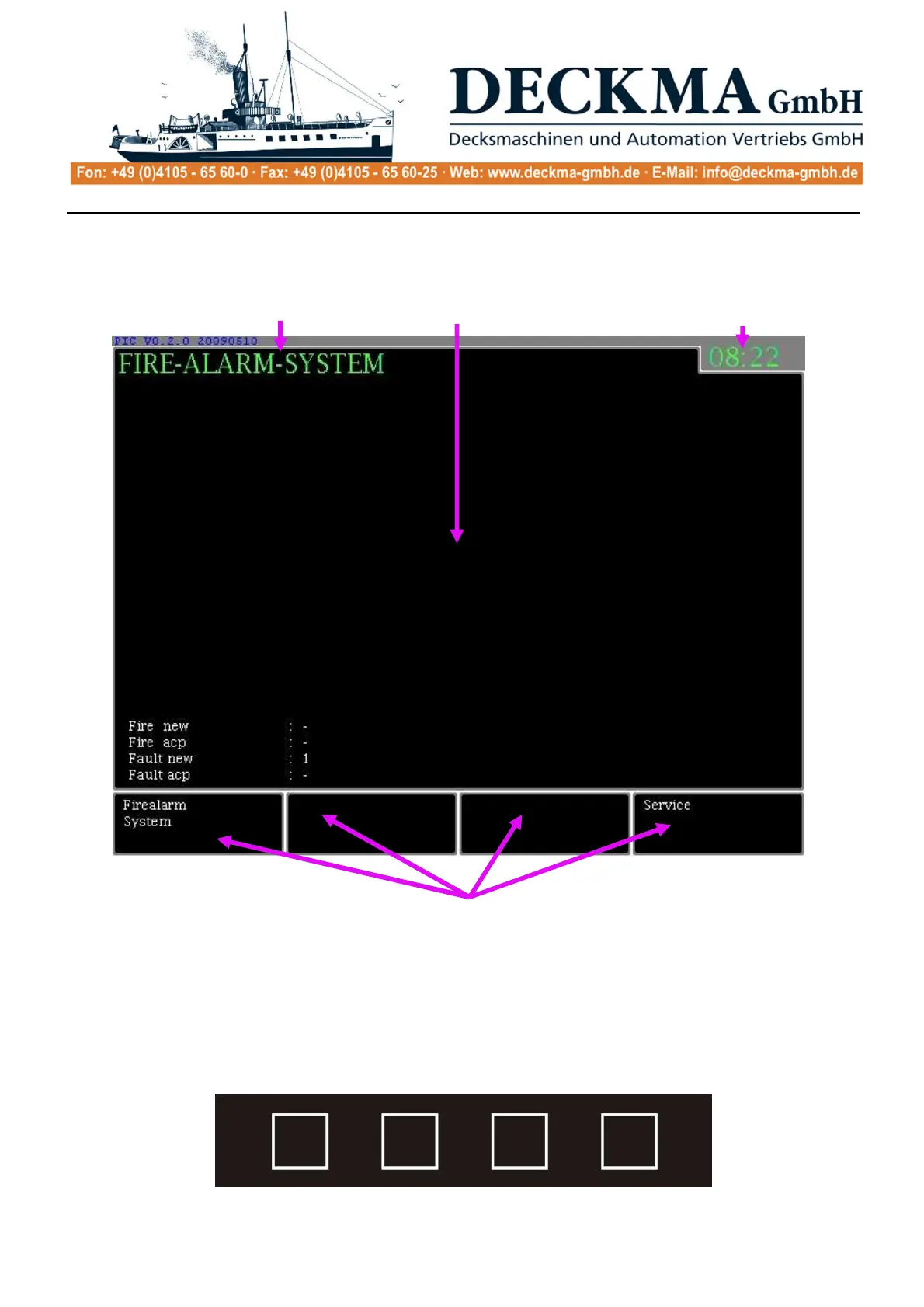
2.6.1. Graphic display
· In the menu field, only the current menu entry is shown. Additional information is also
displayed such as the number of new and accepted fire alarms or faults (soft keys).
· In the actions field, certain elements of the menu navigation or an action are shown.
· In the four soft key menu fields with surrounds, the functions of the directly subordinate
menu are shown.
2.6.2. Menu keys (soft keys)
Menu fields
Action field
Current time Menu bar



 To Next Page