30
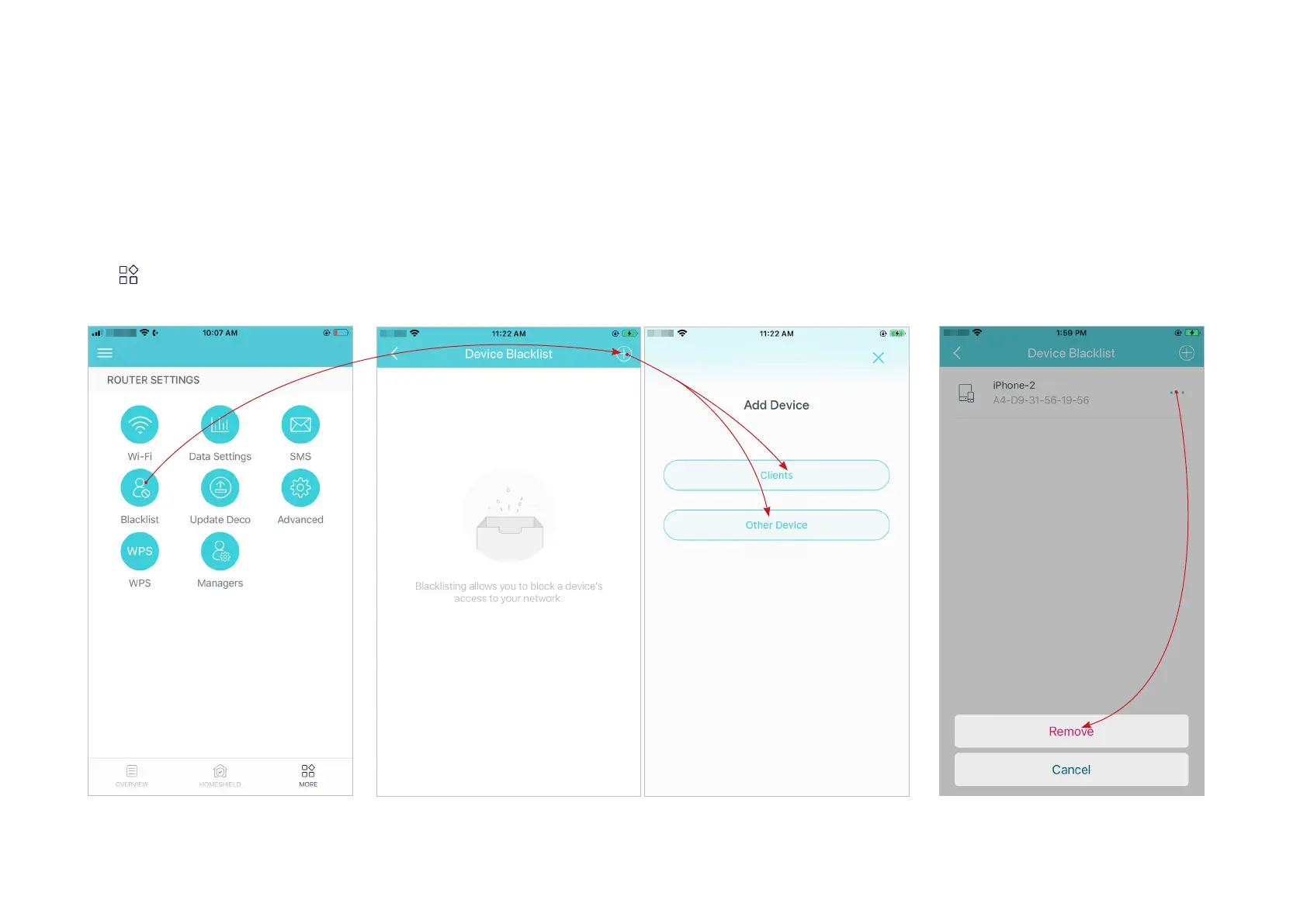
Blacklist
Add devices to the blacklist to prevent the devices from accessing your network, ensuring the safety of your personal information shared in the
network.
Tap > Blacklist.
*The app screen depicted is for 3G/4G Router
mode only and may dier when Deco works in
dierent modes.
Tap + in the top right corner and add clients or other devices to the
blacklist.
Remove devices/clients from blacklist.


 To Next Page