3
Before You Start
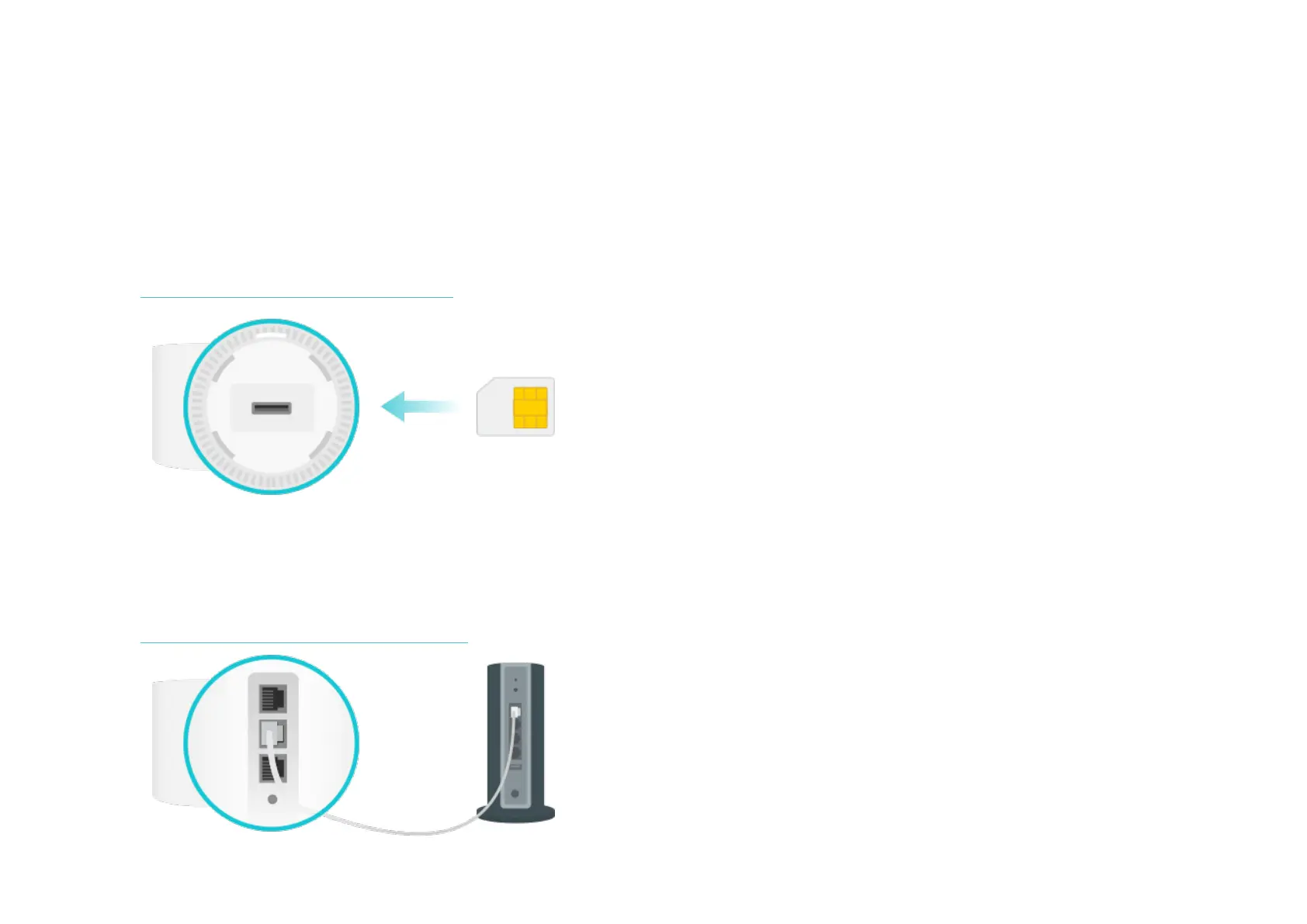
You can set your Deco as a 3G/4G router or a wireless router to meet the needs of different network scenarios.
3G/4G Router Mode
When working in 3G/4G Router mode, Deco connects to the internet via a SIM card inserted.
Follow Set Up Your Deco for 3G/4G Router Mode to set up your Deco.
Wireless Router Mode
When working in Wireless Router mode, Deco connects to the internet via an Ethernet cable. If you already have a modem or your internet comes via
an Ethernet cable from the wall, you can set the Deco as a regular wireless router to share the internet.
Follow Set Up Your Deco for Wireless Router Mode to set up your Deco.


 To Next Page