5 Operating Servo model
63
5.8.3 Enable to change product serial No.
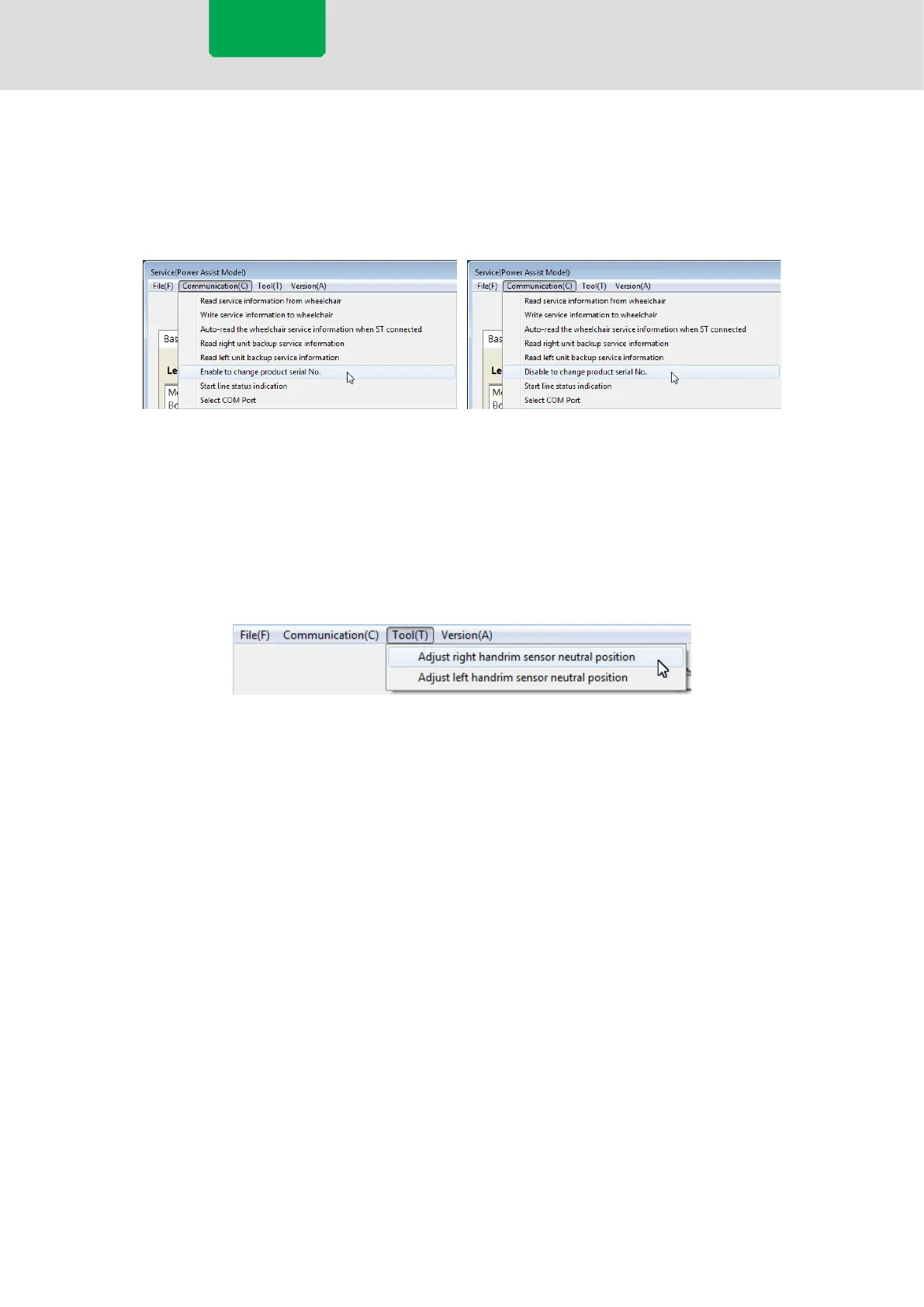
Selecting [Communication] > [Enable to change product serial No.] from the menu bar allows you
to replace the Product serial No. of the left and right wheels.
Selecting [Communication] > [Disable to change product serial No.] locks the Product serial No.
areas, not allowing replacement.
5.8.4 Adjusting Torque Sensor Characteristics
Selecting [Tools] > [Adjust right handrim sensor neutral position] from the menu bar starts the
process for adjusting the characteristics of the right wheel. Adjust the characteristics following the
procedure.
[Adjust left handrim sensor neutral position] similarly starts the process for adjusting the
characteristics of the left wheel.
Servo model



 To Next Page