64
ENGLISH
PROGRAMMING THE CENTRAL UNIT
Before installation the central unit must be programmed with car-specic software.
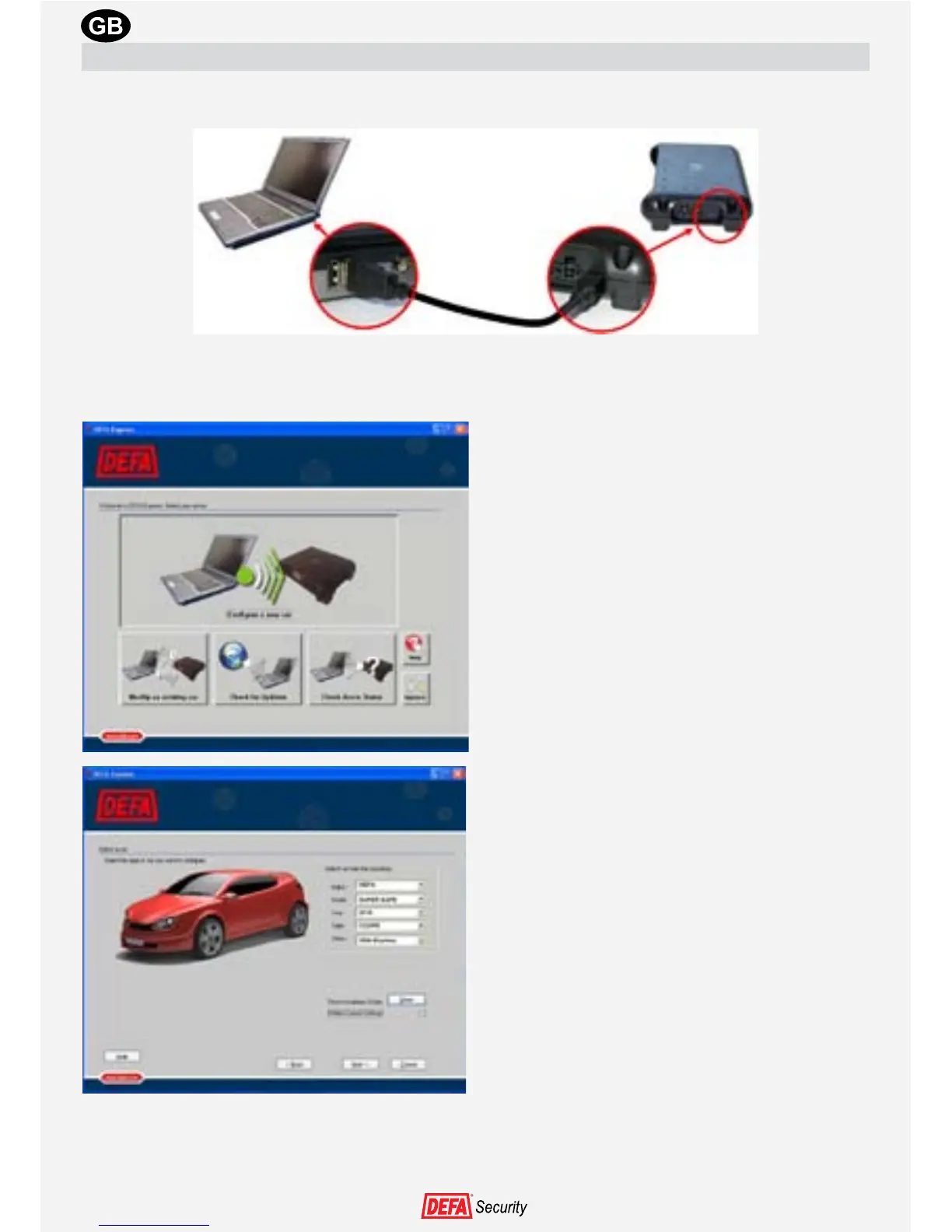
1. Connect the central unit to the computer using a USB cable (USB A to USB mini B)
2. Double-click the DEFA Express icon on the desktop
3. Press the ”Congure a new car”-button.
4. Choose car Make, Model, year, type and
other. When all the choices have been made
the “Show”-button is accessible. Pressing
this button will show the installation guide
for the chosen car, which can be printed if
necessary


 To Next Page