Need Help? Visit DefenderCameras.com/support
13
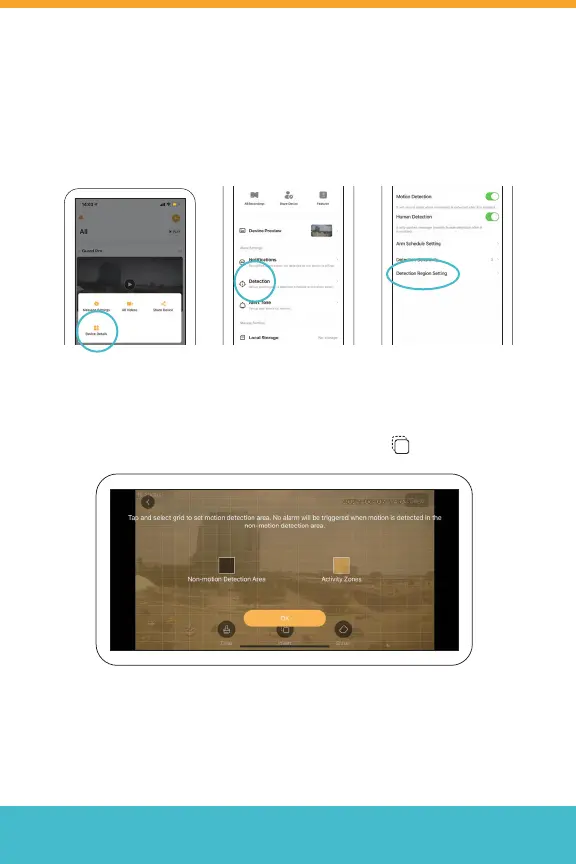
Detection Region Setting
Tap (or drag) the grid to set your motion detection area. By default,
regions highlighted in orange will detect motion. The grey and orange
colors can be inverted by tapping the invert button
Note: No alarm will be triggered when motion is detected in the
non-motion detection areas.
To access Detection Region Settings, from the home screen, tap (• •),
select Device Details > Detection > Detection Region Settings
*Repeat for each camera.



 To Next Page