Need Help? Visit DefenderCameras.com/support
12
Back Door
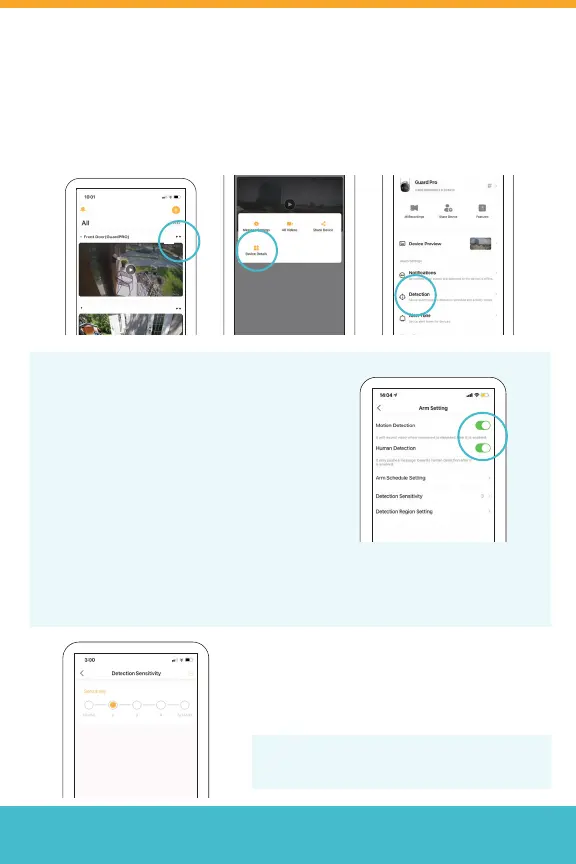
Setting Up Motion Detection
To access Detection Settings, navigate to the home screen, tap (• •),
select Device Details and then Detection
*Repeat for each camera.
If both Motion Detection and Human
Detection are enabled, you will only
receive the push notications about
Human activity while the motion clips
will still be recorded.
Turn o Human Detection to receive
notications of both Human and Motion
detections.
Select Detection Sensitivity to set
your motion sensitivity level. 1 is a
low sensitivity level, with 5 being the
highest.
Tip: We recommend starting with level 2 or 3,
as level 5 will result in signicant alerts.
Human detection may not be 100% accurate. To minimize false notications,
we recommend using the Detection Region Setting and avoid any trees or
larger moving objects.



 To Next Page