Need Help? Visit DefenderCameras.com/support6
SETTING UP YOUR CAMERA
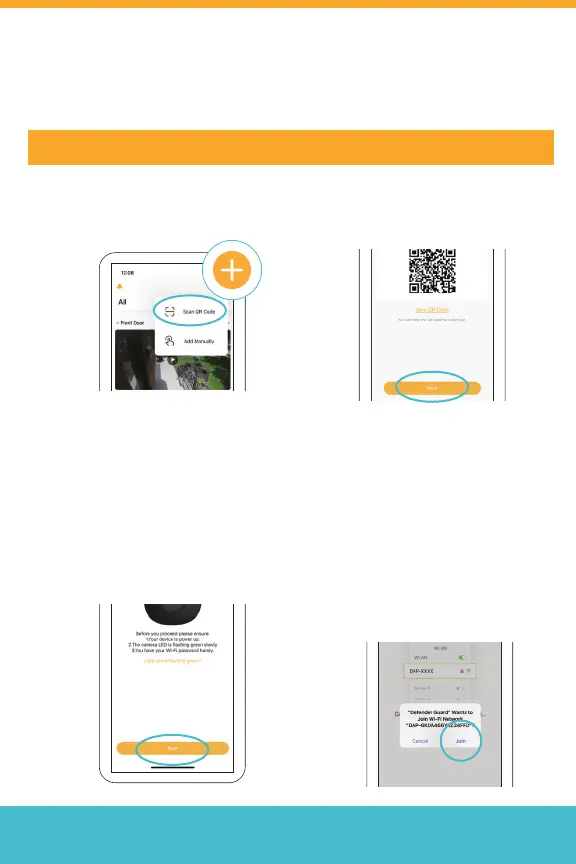
Step 1: Connect to Wi-Fi and Pair Your Camera
2. Scan the QR Code on the
camera and tap “Next” to
Proceed.
1. Tap + to add your camera,
then tap Scan QR code.
3. Follow the instructions and
wait for the camera LED
to ash green slowly. Tap
“Next” to proceed.
4. Join the camera’s local
network to start the
pairing. Select “Join”
to enable the direct
communication between
your phone and camera.
Note: If your mobile device
cannot scan the QR code, tap
“Add Manually”
We recommend to save the
QR code image in case the QR
code label on the camera gets
damaged.
IMPORTANT: Before pairing, ensure your phone is connected to a 2.4 GHz Wi-Fi network



 To Next Page