Need Help? Visit DefenderCameras.com/support
7
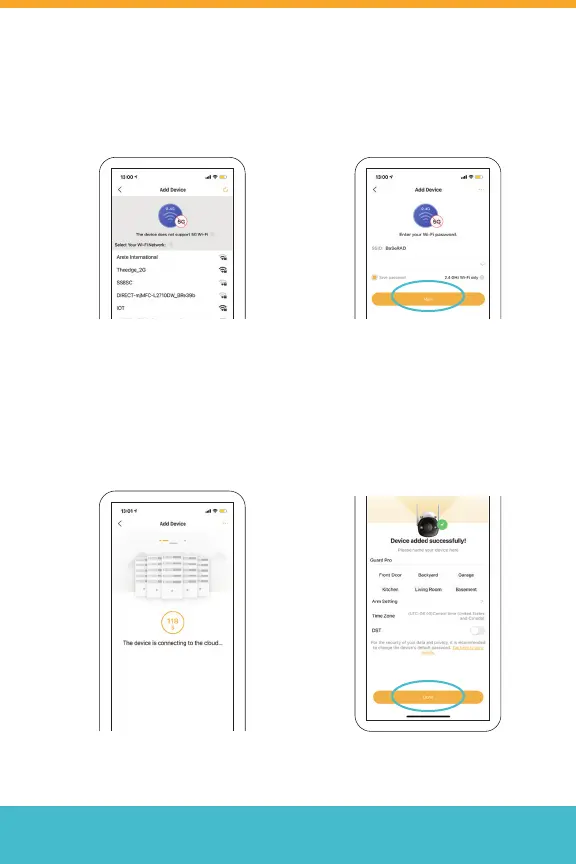
6. Enter your Wi-Fi Network
password then tap “Next”
5. Select the Wi-Fi network you
want to connect your camera
with. The Wi-Fi network list
here only shows 2.4 GHz.
7. Please wait while the device
is connecting to the cloud.
8. Your device has now been
added successfully! Tap
“Done” to complete setup.
Note: If your Wi-Fi network is
not listed here, please refresh
the page.
Note: Make sure your phone
is connected to the same
network.
Note: Please repeat these steps
for each additional camera you
want to connect.



 To Next Page