Need Help? Visit DefenderCameras.com/support
16
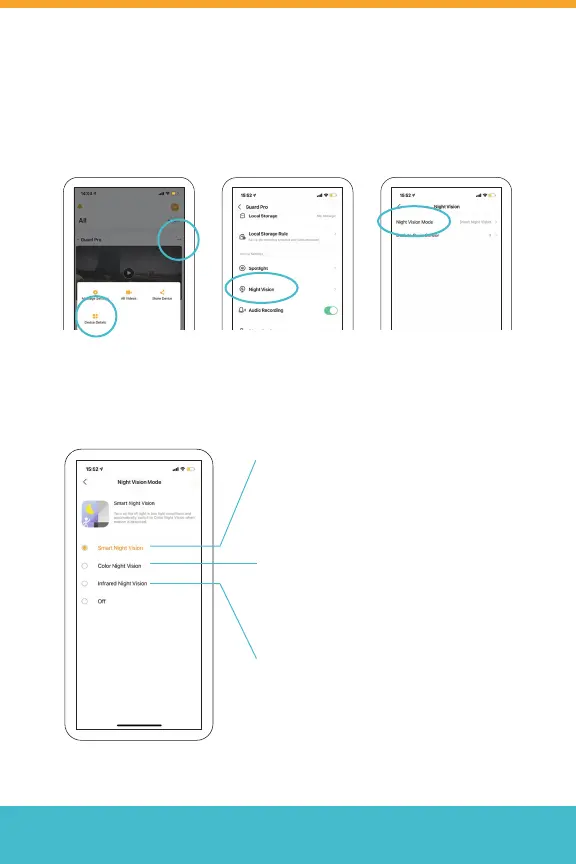
Night Vision Modes
Smart Night Vision
When motion is detected, the spotlight
will turn on to trigger color night vision.
Color Night Vision
The spotlight will be on all the time in
low light conditions
Infrared Night Vision
The image will be in black and white
Setting Up Night Vision
To access Night Vision, from the home screen, tap (• •), select Device
Details > Night Vision > Night Vision Mode
*Repeat for each camera.



 To Next Page