Need Help? Visit DefenderCameras.com/support
18
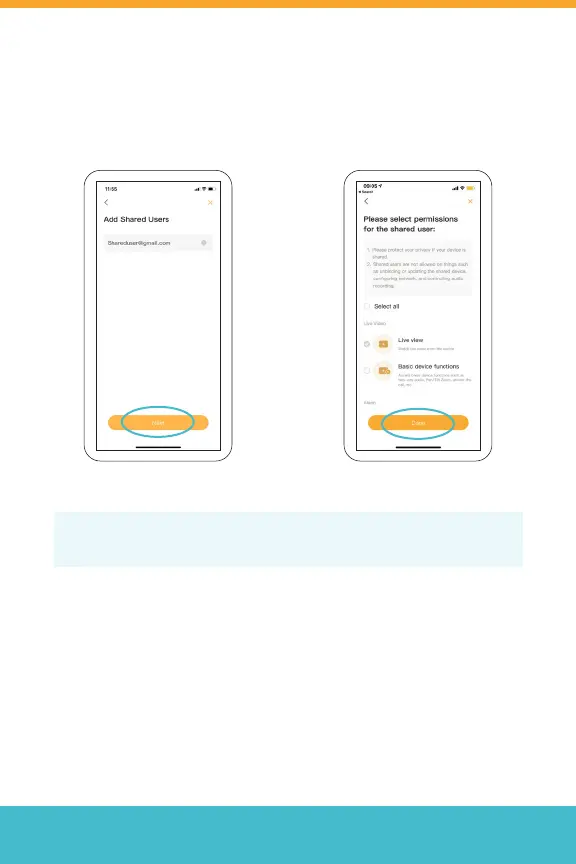
3. Enter the email of the user
you want to share with and
tap “Next”
4. Select the permissions for
the shared user and tap
“Done” to complete the
setup.
Tip: Each user will need to download the Defender Guard app and create
their own account before sharing access.



 To Next Page