Need Help? Visit defendercameras.com/support
7
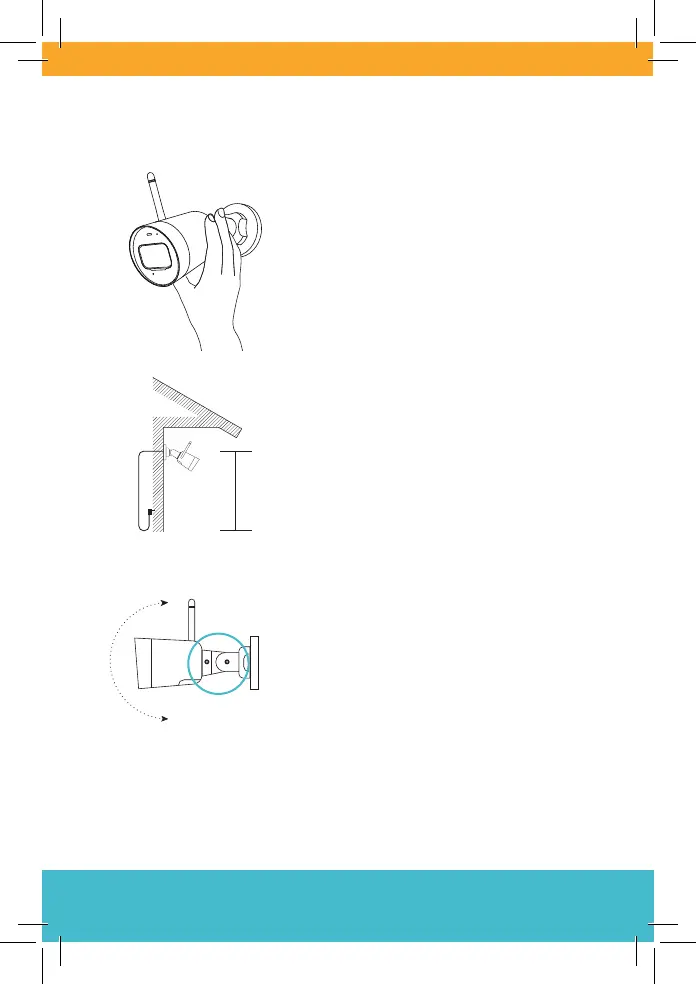
Position and Install Your Camera
Important: Before mounting, test Wi-FI
strength by plugging the camera in and
viewing streaming in the app.
Cement walls, exterior nishes, and thick
insulation can signicantly aect Wi-Fi strength.
2.5 m
(8 ft)
Install your camera in a preferred place, at
a height where you can clearly see faces.
Make sure there is a nearby power outlet.
Position your camera using the adjustable
joints to ensure you get the best video view.
TIP: From the app home screen, tap Me and then Network Quality
Check. This will quickly run a test over Wi-Fi.



 To Next Page