Item #1002-229-532
Model #32648
UPC #030878326483
Before You Begin:
Product Features
□ Multiple ON/OFF settings for each day of the week, daily cycles, or weekday - weekend cycles
□ Stores up to seven individual programs
□ A Random feature, which turns the lights off and on between 30 minutes before and after the programmed
time, giving the appearance that somebody currently is home
Pre-Installation Requirements
□ This timer requires that your switch box have a neutral wire in order for the timer to operate correctly. If
you open up your switch box and see only two wires, this indicates that your switch box does not have a
neutral wire, and this timer will not work.
□ This timer will work in a single-pole or 3-way installation. It will not work in a 4-way installation.
□ This timer will only work on loads up to 15A.
Safety Information
WARNING
RISK OF ELECTRIC SHOCK:
Shut off the power at the fuse box or circuit breaker before installation.
Do not use in wet locations.
Use indoors only.
RISK OF ELECTRIC FIRE:
Do not use to control appliances that contain heating elements such as cooking
appliances, heaters, and irons.
Do not exceed electrical ratings.
Do not use to control receptacles.
Use only copper wire with this device.
Tighten all connections to 1-1.4 N-m (8.85 to 12.39 lbf-in.).
For supply connections, use 14 AWG or larger wire rated at least 75°C.
For grounding lead, use 12 AWG or larger wire rated at least 75°C.
Product Specications
□ Single-pole or 3-way installation
RATINGS
125 VAC,
60 Hz
15A
Resistive
10A
Tungsten
10A
Ballast
1/2 HP
Motor
Hardware Included
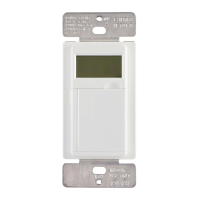
AA - Face Plates x2
(White & Light Almond)
BB - Screw x2 CC - Jumper Wire x2
Suggested Tools
Phillips screwdriver Wire strippers
Wire Nut
(3-way installation only)
(not included)
Flathead screwdriver
Pre-Installation
PREPARING THE TIMER FOR INSTALLATION
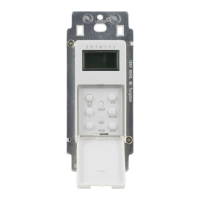
a. Remove the timer from the packaging and locate the LINE, LOAD, NEUTRAL, and GROUND
terminals on the back of the timer.
b. Loosen the LINE, LOAD, NEUTRAL, and GROUND screws with either a athead or Phillips
screwdriver. When loosening screws, stop when you feel resistance.
CHANGING THE FACEPLATE
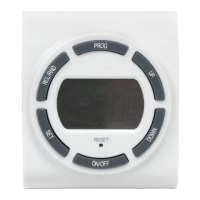
This device includes a light-almond faceplate. To switch faceplates, complete these steps:
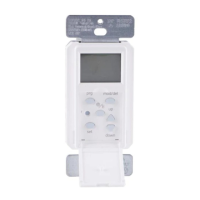
a. Gently remove the white faceplate using a athead screwdriver. Find the slots at the
bottom left or right of the white faceplate and pry the faceplate loose. See Figure 1.
Work around the faceplate until it pops off.
b. Find the light-almond faceplate in the package. Place the new faceplate into position
and push the top of the faceplate into position. Then hold the top of the faceplate in
place and push the bottom of the faceplate until it snaps into place.
Figure 1 - Removing the Faceplat
Installation Terms and Options
WARNING: Shut off power at the fuse box or circuit breaker before performing any wiring or installation.
BASIC WIRING TERMINOLOGY
To better familiarize yourself with the wiring terminology and concepts referenced in this manual, please review the following information before you begin wiring this timer to your switch outlet.
If at any time during the wiring process you become uncertain, please contact a certied electrician.
□ Line: 120VAC (hot) wire that supplies voltage from the breaker box to the wall outlet
□ Load: 120VAC (hot) wire that connects the wall outlet to the device (load) being controlled
□ Neutral: 120V return connection completing the circuit to the breaker box
□ Ground: 120V safety wire providing a path for electricity to be discharged
□ Traveler-1 and Traveler-2: wires running between two 3-way switches for installations where an outlet is controlled by two switches
INSTALLATION OPTIONS
To begin the installation process, you must rst know what type of installation is needed. Below are the three different installation options. Please refer to the following descriptions for the installation
instructions that apply to you.
1 Single-Pole Installation (Go to install section 1 on page 2):
This installation option should be used when a switch only controls one outlet from a single location. Typically you would nd a single-pole switch in your bedroom or bathroom.
2 3-Way Installation, Load Side (Go to install section 2 on page 2):
This installation option replaces a switch which controls an outlet that can be controlled from two separate switches and in most installations has the common (hot) terminal tied to the
device/load. The switch turns OFF and ON. Typically these types of installations are in stairwells, hallways, and large rooms with multiple access points.
3 3-Way Installation, Line Side (Go to install section 3 on page 2):
This installation option replaces a switch which controls an outlet that can be controlled from two separate switches and in most installations has the common (hot) terminal tied to
120VAC. Typically these types of installations are in stairwells, hallways, and large rooms with multiple accesses points.


 To Next Page
 General