EasyManua.ls Logo

Defiant 703499 - User Manual

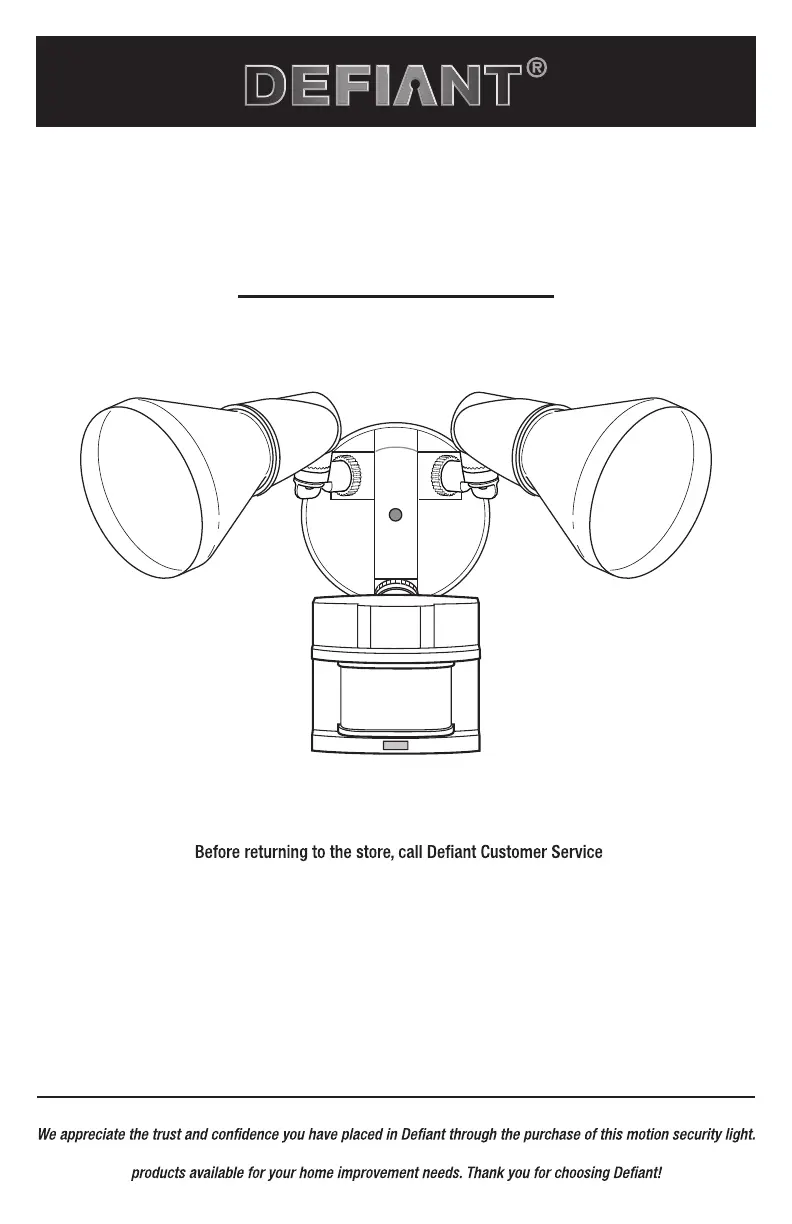
Defiant 703499
24 pages
Print Icon
To Next Page IconTo Next Page
Loading...
THANK YOU
We strive to continually create quality products designed to enhance your home. Visit us online to see our full line of
USE AND CARE GUIDE
MOTION SECURITY LIGHT
Questions, problems, missing parts?
8 a.m.-7 p.m., EST, Monday-Friday, 9 a.m. - 6 p.m., EST, Saturday
1-866-308-3976
HOMEDEPOT.COM
Item #703390
703499
Model #DF-5416-BK-B
DF-5416-WH-B

Questions and Answers

  • M
    Melissa SanchezAug 4, 2025
    Why does my Defiant 703499 stay on all the time?
    • D
      Dana JohnsonAug 4, 2025
      If your Defiant Flood Light stays on continuously, it might be due to several reasons. First, a bulb may be positioned too close to the motion sensor or pointed at nearby objects that emit heat, triggering the light sensor. Try repositioning the bulb away from the motion sensor or those objects. Second, the motion sensor could be picking up a heat source like an air vent or dryer surface; in this case, decrease the “RANGE” setting or reposition the motion sensor. Also, check if the motion sensor is in manual mode and switch it to auto. Finally, make sure that you do not use a dimmer or timer to control the light with a standard on/ off wall switch and connect the light to a circuit without motors or bulbs.

Summary

Safety Information

Precautions

Instructions to follow before assembly, installation, or operation of the light fixture.

Pre-Installation

Installation

Installing the Mounting Bracket

Instructions for securely mounting the bracket to the junction box.

Hanging the Light Fixture Temporarily

Temporarily attaching the fixture using a plastic hanger and routing wires.

Wiring the Light Fixture

Connecting the fixture wires to the house wiring using wire connectors.

Mounting the Light Fixture

Securing the fixture canopy to the mounting bracket using the mounting bolt.

Caulking Around the Light Fixture

Sealing the fixture canopy to the mounting surface with silicone sealant.

Installing the Shells and Bulbs

Attaching the protective shells and inserting the light bulbs.

Operation

Setting the Sensor for Testing

Configuring the light fixture for initial testing with specific switch settings.

Adjusting the Motion Sensor Detection Zone

Performing a walk test and adjusting sensor position to establish the detection area.

Troubleshooting

Light Will Not Come On

Diagnosing and resolving issues where the light fixture fails to activate.

Lights Stay On Continuously

Diagnosing and fixing problems causing the light to remain constantly illuminated.

Defiant 703499 Specifications

General IconGeneral
BrandDefiant
Model703499
CategoryFlood Light
LanguageEnglish

Related product manuals