EasyManua.ls Logo

Defiant 5985 - User Manual

Defiant 5985
28 pages
Print Icon
To Next Page IconTo Next Page
Loading...
THANK YOU
We appreciate the trust and condence you have placed in Deant through the purchase of this motion security light.
We strive to continually create quality products designed to enhance your home. Visit us online to see our full line of
products available for your home improvement needs. Thank you for choosing Deant!
USE AND CARE GUIDE
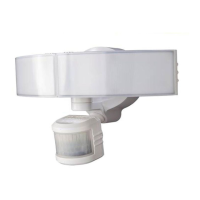
MOTION SECURITY LIGHT
Questions, problems, missing parts?
Before returning to the store, call Deant Customer Service
8 a.m.-7 p.m., EST, Monday-Friday, 9 a.m. - 6 p.m., EST, Saturday
1-866-308-3976
HOMEDEPOT.COM
Item #1001318516
1001311061
Model #DFI-5985-BZ
DFI-5985-WH
Model # 5985
Serial # DFI-5985-BZ, DFI-5985-WH

Questions and Answers

Summary

Safety Information

PRECAUTIONS

Essential safety guidelines and warnings before installation and operation.

Warranty Information

5-YEAR LIMITED WARRANTY

Details coverage and exclusions for the product's warranty period.

Pre-Installation Guide

Planning Installation

Guide to checking parts and preparing for installation.

Specifications

Technical details of the motion security light's performance and requirements.

Required Tools

List of necessary tools for installing the light fixture.

Pre-Installation Details

Hardware Included

Lists all physical components provided with the light fixture.

Package Contents

Identifies the main parts included in the product package.

Installation Steps

Mounting Location Selection

Guidance on selecting the optimal placement for the light fixture.

Removing Connection Component

Instructions for detaching the connection component for installation.

Installing Mounting Bracket

Steps for securely attaching the mounting bracket to the junction box.

Installation Steps (continued)

Installing 1-2-Easy Connect

Details on how to attach the connection module to the mounting bracket.

Electrical Connections

Guide to wiring the light fixture to the power source.

Mounting the Light Fixture

Steps for physically attaching the light fixture to the installed bracket.

Installation Steps (continued)

Caulking Fixture Seal

Instructions for sealing the fixture to the mounting surface for weather protection.

Operation Overview

Adjusting Lamp Heads

How to position the light heads for desired coverage.

Adjusting Sensor Orientation

Guidance on adjusting the motion sensor's orientation.

Mobile App Operation

Downloading Mobile App

Steps to download and install the required mobile application.

Pairing Light to App

Process for connecting the light fixture to the mobile device via Bluetooth.

Initiating Pairing Process

Initial steps to start the light pairing procedure within the app.

Completing Pairing Process

Completing the pairing by naming and setting a password for the light.

Mobile App Operation (continued)

Adjusting Light Settings

How to configure light behavior like ON time, sensitivity, and brightness via the app.

Sensor Testing Mode

Instructions for entering and exiting the light fixture's test mode.

Mobile App Operation (continued)

Adjusting Motion Sensor Zone

Guide to performing a walk test and adjusting the sensor's coverage area.

Adding More Devices

Steps to allow multiple mobile devices to control the light fixture.

Manual Operation Mode

How to temporarily override motion sensing and keep the light on.

Mobile App Operation (continued)

Resetting to Factory Settings

Procedure to restore the light fixture's default configuration.

Care and Cleaning

Troubleshooting Guide

Troubleshooting Guide (continued)

Defiant 5985 Specifications

General IconGeneral
BrandDefiant
Model5985
CategoryFlood Light
LanguageEnglish

Related product manuals