EasyManua.ls Logo

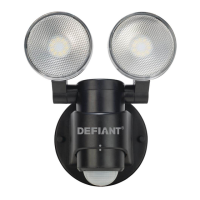
Defiant CD-5936-BK - User Manual

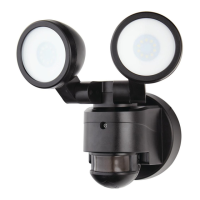
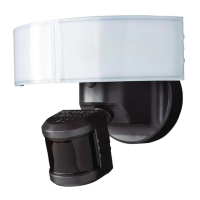
Defiant CD-5936-BK
24 pages
Print Icon
To Next Page IconTo Next Page
Loading...
THANK YOU
We appreciate the trust and condence you have placed in Deant through the purchase of this motion security light.
We strive to continually create quality products designed to enhance your home. Visit us online to see our full line of
products available for your home improvement needs. Thank you for choosing Deant!
USE AND CARE GUIDE
MOTION SECURITY LIGHT
Questions, problems, missing parts?
Before returning to the store, call Deant Customer Service
8 a.m.-7 p.m., EST, Monday-Friday, 9 a.m. - 6 p.m., EST, Saturday
1-866-308-3976
HOMEDEPOT.CA
Item #1000835261
1000817583
Model #CD-5936-BK
CD-5936-WH

Questions and Answers

Summary

Safety Information

Precautions

Read and understand the manual before assembly, installation, or operation. Requires 120-Volt AC, proper grounding, and outdoor wall mounting.

Warranty Information

5-Year Limited Warranty

Covers factory defects in parts and workmanship for five years from the purchase date. Purchase receipt is required for claims.

Warranty Exclusions

Excludes repair service, adjustments for misuse, abuse, negligence, unauthorized service, or components used in conjunction with the product.

Pre-Installation Steps

Planning Installation

Ensure all parts are present before installation. Compare with Hardware Included and Package Contents sections.

Tools Required

List of necessary tools for installation including Phillips screwdriver, flathead screwdriver, wire strippers, circuit tester, work gloves, sealant, ladder, and safety goggles.

Installation Guide

Determining Mounting Location

Mount the light fixture approximately 8 ft. (2.4 m) above the ground on a wall, positioning lamp heads for desired coverage.

Removing and Installing Mounting Bracket

Remove the mounting plate and install the main mounting bracket securely to the junction box using appropriate screws.

Installing the Mounting Plate

Attach the mounting plate to the junction box, ensuring the 'UP' arrow points upward, and secure with the mounting bolt.

Making Electrical Connections

Connect junction box wires to the terminal block, inserting white wire to 'N (White)' and black wire to 'L (Black)'.

Mounting the Light Fixture

Slide the light fixture onto the mounting plate and securely tighten the two decorative screws. Ensure proper connection for light to work.

Operation and Adjustment

Adjusting Lamp Heads

Turn power on. Gently grasp lamp heads and tilt or rotate them to adjust the light coverage area as needed.

Setting the Sensor for Testing

Set LUX to '+' for day/night operation and TIME to '-' for 10-second on-time. Slide SENS to '-' for initial setup.

Adjusting Motion Sensor Detection Zone

Perform a 'walk test' by walking in an arc to establish the detection zone. The light will indicate when motion is detected.

Adjusting SENS Control

Turn SENS dial towards '+' to increase detection zone, or towards '-' to decrease. Higher sensitivity may cause false triggering.

Adjusting TIME Control

Turn TIME dial towards '+' to increase light on-time (up to 4 mins), or towards '-' to decrease (minimum 10 seconds).

Adjusting LUX Control

Turn LUX dial towards '+' for brighter light activation (daytime), or towards '-' for darker activation (nighttime).

Completing Motion Sensor Setup

Rotate motion sensor so controls face the rear of the fixture and the two dots are in alignment.

Care and Cleaning

Cleaning Instructions

Clean the light fixture with clear water and a soft, damp cloth only. Do not use paints, solvents, chemicals, or spray with a hose.

Troubleshooting Guide

Light Not Coming On

Check light switch, circuit breaker, daylight turn-off, wiring, and temperature proximity to body heat for causes.

Light Comes On During Day

Verify sensor location and adjust LUX control towards '-' if light activates during daylight hours.

Light Comes On for No Apparent Reason

Adjust SENS control, check for sensing small animals, traffic, or high/low temperatures. Avoid dimmer/timer connections.

Lights Stay On Continuously

Check for heat sources, wiring through dimmer/timer, or shared circuits with motors. Adjust SENS or reposition sensor.

Lights Flash On and Off

Reposition lamp heads away from sensor or decrease SENS setting to prevent heat or light from bulbs causing cycling.

Defiant CD-5936-BK Specifications

General IconGeneral
BrandDefiant
ModelCD-5936-BK
TypeFlood Light
ColorBlack
Light SourceLED
Voltage120V
Beam Angle120 Degrees
Motion SensorYes
Detection Angle180 degrees
Weather ResistanceYes
Mounting TypeWall Mount
Water ResistanceIP65
CertificationsETL Listed
Wet RatedYes
Color Temperature5000K
Detection Range70 feet

Related product manuals